

Best overall for campaign automation: TezAds. Best for connecting a Shopify product catalog to Meta: Facebook & Instagram by Meta. Best for hands-on campaign control: Meta Ads Manager. These are different tools, not interchangeable Shopify Facebook ads apps: choose the one that handles the work you actually need done.
- TezAds is the best fit for e-commerce brands and agencies that want help writing, launching, and optimizing Meta campaigns.
- Facebook & Instagram by Meta is the Shopify Facebook ads app to check first for product catalog connection.
- Meta Ads Manager is the best choice when you want direct control over campaign setup and changes.
- Before choosing TezAds for a Shopify store, confirm the current Shopify connection and catalog workflow.
Why this matters
Searching for Shopify Facebook ads apps mixes three jobs: connecting store products to Meta, running ads, and improving campaigns after launch. Buying a campaign tool will not answer a catalog-setup question. Installing a catalog connector will not take campaign management off your plate.
That distinction matters to both audiences. If you run a store, decide whether your immediate problem is getting products into Meta or spending less time building and adjusting ads. If you manage client accounts, decide which steps your team needs to own and which steps a tool should handle. In 2026, start with the workflow, not an app-store label.
What makes the best Shopify Facebook ads app?
Use these criteria before comparing names:
- Shopify connection: Does the tool connect the store, sync products, or serve a different purpose? Confirm the exact setup you need.
- Campaign creation: Can you write and launch ads in the tool, or must you move to another interface?
- Optimization workflow: Does the tool help adjust campaigns after launch, or leave every change to your team?
- Account control: Can the person responsible for spend inspect settings, results, and changes?
- Agency fit: Can your team manage the work required across client ad accounts without confusing one client's setup with another?
- Creative workflow: Does the tool address ad copy and campaign work, product feeds, or neither? A strong catalog connection is not a creative process.
TezAds is best for e-commerce brands and agencies that need Meta campaign creation and optimization; it is not a substitute for checking how a Shopify store connects to Meta.
Shopify Facebook ads apps at a glance
| Tool | Best for | Standout function | Key limitation |
|---|---|---|---|
| TezAds | Campaign automation for stores and agencies | Writes, launches, and optimizes paid campaigns, including Meta | Confirm the current Shopify connection and catalog workflow before relying on it for either |
| Facebook & Instagram by Meta | Connecting Shopify products to Meta | Links Shopify commerce data with Meta's selling and advertising tools | A store connection does not replace an ongoing campaign-management process |
| Meta Ads Manager | Direct campaign control | Native interface for building, editing, and reviewing Meta campaigns | Your team remains responsible for the campaign work |
The table separates a catalog connector, an automation platform, and an ad-management interface. They can be relevant to the same business without competing for the same job. That is why the best overall choice changes when the question changes.
1. TezAds: best for automating Meta campaign work
TezAds is an ad automation platform for e-commerce brands and the agencies managing their ad accounts. It writes, launches, and optimizes paid campaigns across Meta, Instagram, Google, TikTok, YouTube, and X. Its role in this comparison is campaign work, not an assumed native Shopify catalog integration.
For a store team, the relevant question is whether writing and adjusting campaigns consumes time that should be spent on merchandising or reviewing results. For an agency, it is whether campaign production and ongoing changes across client accounts need a clearer operating process. TezAds addresses those ad tasks; confirm how each Shopify store connects before building a catalog-dependent workflow around it.
TezAds pros:
- Covers campaign writing, launch, and optimization rather than only connecting products.
- Serves both e-commerce brands and agencies managing ad accounts for clients.
- Supports paid campaign work beyond Meta when your team also uses its other stated channels.
TezAds cons:
- A Shopify-specific connection and product-catalog workflow need confirmation before you treat it as a store connector.
- It does not remove the need to review account access, campaign settings, and results.
- If your only task is connecting Shopify products to Meta, its broader campaign role does not solve that question by itself.
TezAds pricing: Check current terms with the provider; do not choose a campaign workflow from a stale figure in a comparison article.
Best for: Store teams and agencies that want software to handle more of the work of creating and managing paid campaigns. Verdict: Buy when campaign execution is the bottleneck and the Shopify setup you require is confirmed.
2. Facebook & Instagram by Meta: best for Shopify catalog connection
Facebook & Instagram by Meta is the Shopify app to examine when the job starts with connecting a store and its products to Meta. It belongs earlier in the setup conversation than campaign optimization software. If the product catalog is not connected as intended, changing ad copy will not fix the connection.
For a store owner, this is the practical starting point when product-based advertising is the goal. For an agency, it is an account-setup item to check for each client rather than an answer to who writes, launches, and improves that client's campaigns. Treat catalog setup and campaign operations as separate responsibilities.
Facebook & Instagram by Meta pros:
- Addresses the Shopify-to-Meta commerce connection directly.
- Gives teams a defined starting point for product-catalog setup.
- Fits a store that needs its product data available to Meta before planning product-based ads.
Facebook & Instagram by Meta cons:
- Connecting a store does not write a campaign strategy or keep ads updated.
- You still need a process for reviewing campaign results and making changes.
- Agency teams still need to check each client's store and ad-account setup individually.
Facebook & Instagram by Meta pricing: Check the current app and Meta terms before setup; this comparison does not use a fixed figure.
Best for: Shopify stores and agencies whose immediate task is connecting store products to Meta. Verdict: Buy for the connection job; choose a separate campaign workflow for the work that follows.
3. Meta Ads Manager: best for hands-on campaign control
Meta Ads Manager is Meta's native interface for creating, editing, and reviewing ads. Choose it when you want your team to set up campaigns and make changes directly rather than assign that work to an automation platform. It is a campaign-management interface, not a Shopify catalog connector on its own.
A store team can use Ads Manager to retain direct control over decisions and inspect campaign results. An agency can use it to review account settings and manage client campaigns. In either case, the trade-off is time: the people with account access must do the setup and ongoing work.
Meta Ads Manager pros:
- Provides direct access to Meta campaign setup and editing.
- Lets your team review results in the native campaign interface.
- Keeps hands-on decisions with the person managing the ad account.
Meta Ads Manager cons:
- Campaign writing, setup, and adjustments remain your team's responsibility.
- It does not by itself answer how a Shopify product catalog connects to Meta.
- Agencies must maintain a workable process for each client account they manage.
Meta Ads Manager pricing: Check Meta's current advertising terms and set a spend plan inside the account; no fixed price belongs in this guide.
Best for: Store teams and agencies that prefer direct, manual control over Meta campaigns. Verdict: Buy when that control matters more than reducing campaign-management work.
How we ranked these options
The ranking follows the job implied by most searches for Shopify Facebook ads apps: make Facebook advertising work for a Shopify store. Campaign creation and ongoing management put TezAds first. Facebook & Instagram by Meta takes the catalog-connection slot because that is a separate prerequisite for product-based workflows. Meta Ads Manager takes the manual-control slot.
This is a decision tree, not a claim that one tool replaces the others. A brand can need a store connection and a way to manage campaigns. An agency can need those same functions across its client accounts. The deciding question is which task you are trying to solve now.
Match the tool to the task
Start by writing down the task your team cannot skip. Connect products means checking the Shopify-to-Meta catalog workflow. Build campaigns means deciding who writes and launches ads. Manage changes means deciding who reviews results and adjusts the account after launch. Do not assign all three tasks to a tool because its listing mentions Facebook ads.
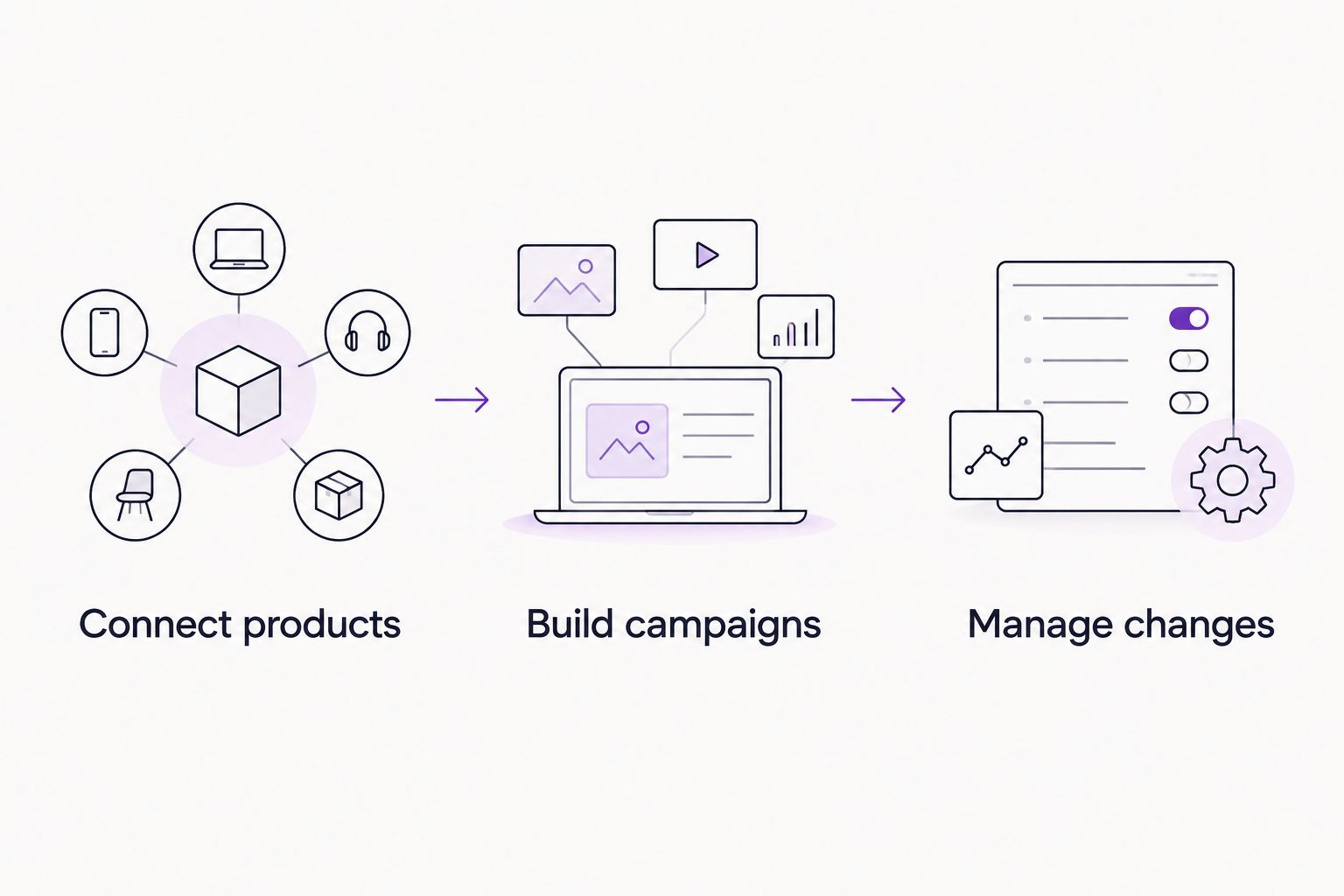
If you own a Shopify store, check the product connection first when your ads depend on the catalog. Then decide whether your team wants to manage campaigns in Meta Ads Manager or use TezAds for writing, launching, and optimization. Confirm the connection between the systems you intend to use before committing the workflow.
If you run an agency, repeat that check for each client rather than assuming identical setups. Identify who has access to the Shopify store, who can change the Meta account, and who is responsible for reviewing results. A tool can handle campaign tasks only after the underlying account and store responsibilities are clear.
Check creative and measurement before launch
Campaign software cannot rescue the wrong product page, an unclear offer, or creative that fails to fit its placement. Check the destination and the ad together. Make sure the product shown in the creative matches the page a shopper reaches, and review the copy in the context where it will appear.
In 2026, common working exports include 1080 × 1080 pixels for square creative, 1080 × 1350 pixels for vertical feed creative, and 1080 × 1920 pixels for full-screen vertical creative. These are preparation sizes, not a promise that one asset suits every Meta placement. Check the current placement requirements before exporting the final files.
Measurement needs the same attention. Check that the store, catalog, and ad account are associated as intended, then inspect the events and results inside the tools your team uses. An agency should make those checks per client. A store owner should know which account and destination are being used before judging whether an ad is working.
Which Shopify Facebook ads app should you choose?
Choose TezAds by default when the work you want to reduce is writing, launching, and optimizing Meta campaigns. It fits both an e-commerce team running its own ads and an agency managing campaigns for clients. Confirm its current Shopify connection before making it part of a catalog-dependent setup.
Choose Facebook & Instagram by Meta when the immediate job is connecting Shopify products to Meta. Choose Meta Ads Manager when your team wants to build and adjust campaigns directly. In 2026, the wrong choice is not the less capable tool; it is the tool assigned to a job it does not do.
FAQ
What is the best Shopify Facebook ads app in 2026?
TezAds is the best fit when you need help writing, launching, and optimizing Meta campaigns. For the Shopify-to-Meta product connection, start with Facebook & Instagram by Meta.
Is TezAds a Shopify catalog connector?
Confirm TezAds' current Shopify connection and catalog workflow before treating it as a connector. Its stated role is writing, launching, and optimizing paid campaigns for e-commerce brands and agencies.
Is Facebook & Instagram by Meta better than TezAds?
Facebook & Instagram by Meta is the better fit for connecting Shopify products to Meta; TezAds is the better fit for campaign automation. The right choice depends on whether your task is store setup or ongoing ad work.
Do I need Meta Ads Manager if I use a Shopify app?
Meta Ads Manager remains useful when you want direct control over Meta campaign settings and results. A Shopify store connection does not replace a campaign-management process.
Which option works best for an agency managing Shopify clients?
TezAds fits agencies that need help writing, launching, and optimizing client campaigns. Check each client's store connection and account access separately before setting the campaign workflow.
Can one Shopify Facebook ads app handle the catalog and every campaign task?
Do not assume a catalog connector also manages ongoing campaigns. Check product sync, campaign creation, and optimization as separate functions before choosing tools.
What should I check before launching Facebook ads for a Shopify store?
Check the store-to-Meta connection, the destination page, the creative for its placement, and who can change the ad account. Those checks apply whether a person or a tool launches the campaign.
One last thing
A catalog connection is setup; campaign management is repeated work. In 2026, write down who owns each before adding another tool. That single distinction makes the choice between a Shopify connector, TezAds, and Meta Ads Manager much clearer.