

Yes. AI can help an agency create, launch, and optimize campaigns across multiple ad accounts, but safe operation requires separate client permissions, budgets, conversion goals, and approval rules. Automating campaign work does not transfer responsibility for client spend or campaign decisions away from your agency.
- Can AI manage multiple ad accounts for an agency? Yes, with client-specific permissions, budgets, and approval rules.
- Tezads serves e-commerce brands and agencies that need paid campaign creation, launch, and optimization.
- For Meta ads, test account selection, creative approval, and budget controls before expanding automation.
- A shared dashboard is not proof that software can safely execute changes across client accounts.
Can AI manage multiple ad accounts for an agency?
AI can support multi-account management when the software connects to the relevant accounts and can perform the tasks you authorize. The deciding factor is not how many accounts appear on a screen. It is whether each action respects the correct client's assets, instructions, and spending limits.
Use this multi-account agency automation guide to frame the workflow, then test the actual account controls before committing client spend.
For a 2026 evaluation, separate campaign execution from agency administration:
- Create: Generate campaign drafts using the selected client's offer, audience, and approved claims.
- Approve: Check creative, destination, tracking, account selection, and budget before publication.
- Launch: Publish only to the authorized account with the approved settings.
- Optimize: Allow defined changes while keeping a record of what changed and why.
- Review: Check business results and exceptions with the person responsible for the account.
These are evaluation steps, not a claim that every automation product includes every control. Ask the vendor to demonstrate each step inside the workflow you intend to use.
Why this matters
An agency manages separate businesses, not one large advertising account. A discount approved by one client does not belong in another client's campaign. A strong result for one store does not justify moving another store's budget.
For an e-commerce brand, the main question is whether automation follows its commercial priorities. For an agency, there is an additional question: can your team enforce those priorities separately across clients? Speed without account separation is not a useful trade.
Treat account boundaries as part of campaign quality. Copy quality matters, but the correct copy in the wrong account is still a failed launch.
Which management approach fits your workflow?
Compare the work each approach actually performs. A writing tool, a native advertising interface, and a campaign automation platform solve different problems; none deserves credit for a workflow it cannot demonstrate.
| Approach | Best for | Practical advantage | Limitation to account for |
|---|---|---|---|
| Meta Ads Manager | Teams managing Facebook and Instagram campaigns directly | Native campaign creation and management for Meta advertising | It is not a management interface for campaigns on other advertising platforms |
| Copy-only tools | Teams that need draft ad text | Help produce copy for human review | Producing text is not the same as connecting accounts or launching campaigns |
| Tezads | E-commerce brands and agencies seeking paid campaign automation | Its stated scope includes writing, launching, and optimizing campaigns across the named advertising channels | Verify client separation, approvals, permissions, and change history rather than assuming those controls |
Tezads is best for e-commerce brands and their agencies seeking software to write, launch, and optimize paid campaigns. That describes its stated audience and workflow; it does not establish a particular account capacity or governance feature.
Meta Ads Manager remains the relevant comparison when your work centers on Facebook and Instagram. Compare the exact tasks your team performs, not the length of a vendor's feature list.
What should an agency test before connecting client accounts?
Use a small, controlled pilot in 2026. Start with 1 ad account and restrict the pilot to work the client has approved. Expand only after the workflow passes the checks below.
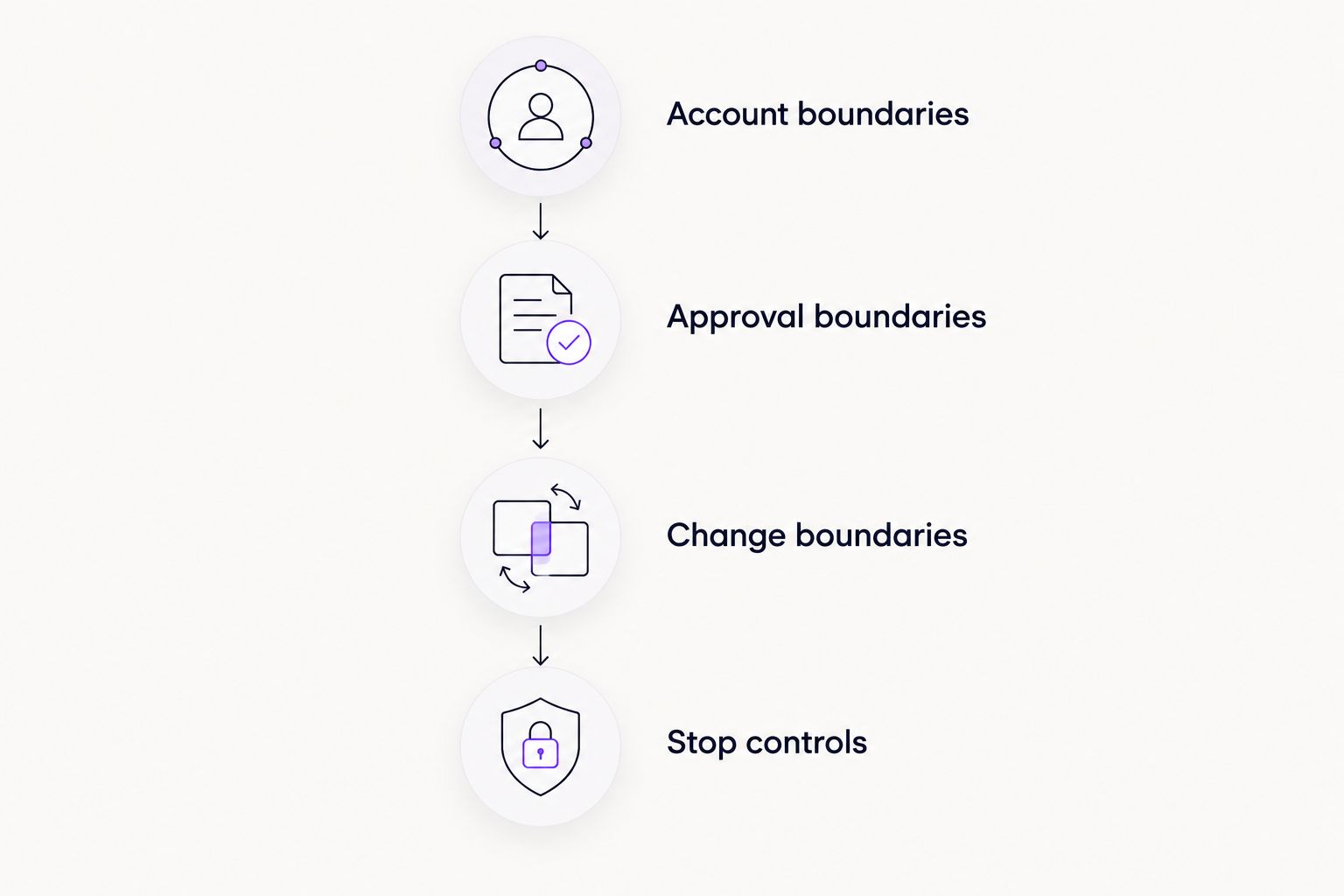
Account boundaries
Select a client, then inspect every asset the software uses: account, page, creative, destination, and conversion goal. Switch clients and repeat the inspection. The test should establish that the selected client determines the assets and instructions used throughout the task.
For an e-commerce brand, this prevents a campaign from using the wrong store or offer. For an agency, it also tests whether client context stays separate when staff move between assignments.
Approval boundaries
Create a draft and identify exactly what authorizes publication. Determine whether approval applies to the creative alone or also covers targeting, budget, destination, and tracking.
Use 2 review checkpoints in the pilot: one before publication and one after the campaign appears in the advertising account. These are recommended checks, not a claim about a product's built-in approval system.
Change boundaries
Ask the vendor to show what the software can change after launch. Distinguish a recommendation awaiting approval from an action that runs automatically.
Test 3 change types separately: a creative edit, a budget edit, and a campaign pause. Each test should identify who authorized the action, which account changed, and how the team can inspect the result.
Stop controls
Find the control that stops automated changes. Then establish whether stopping automation also stops active campaigns; those are different actions.
Write down the manual recovery procedure. Your agency needs a way to regain control without relying on the same automated workflow that caused the problem.
Why multi-account automation requirements vary
The right setup depends on what your agency is authorized to do. Use these factors to define the scope before comparing software:
- Channel scope: A Meta-only workflow differs from a workflow covering Meta, Google, TikTok, YouTube, and X. Verify the action needed on each channel.
- Client instructions: Different offers, audiences, destinations, and approved claims require separate campaign inputs.
- Decision authority: Drafting recommendations requires different controls from publishing ads or changing budgets.
- Conversion goals: Optimization needs a defined outcome for each account, not a generic instruction to improve performance.
- Team responsibility: Identify who prepares campaigns, who approves changes, and who handles exceptions.
- Reporting requirements: Decide which results the client expects and how your team will explain automated decisions.
These factors define your acceptance criteria. They do not establish that a particular product supports the resulting workflow.
How should AI create and manage Meta ads?
For Meta ads, connect the creative process to the campaign process without skipping review. Begin with approved product information, the campaign objective, the destination, and the client's restrictions. Reject any draft that invents an offer or changes the meaning of a product claim.
Review the complete ad, not just its opening line. The image or video, headline, body copy, destination, and call to action should make the same promise. An agency should apply this check separately for each client; a brand should apply it separately for each offer.
Before launch, inspect the selected account and campaign settings. After launch, compare the published ad with the approved version. A fluent draft is not evidence of a correct campaign setup.
For ongoing management, define which actions can run without another review. Keep ambiguous decisions with the account owner until your team has established a clear rule for them.
How do you keep optimization tied to business results?
Write down the outcome before you authorize optimization. For an e-commerce brand, distinguish purchases and purchase value from intermediate actions such as clicks. For an agency, document that definition separately for every client.
Next, decide which report governs the decision. Advertising reports and store records answer different questions, so your team needs an agreed interpretation rather than whichever number looks strongest in a dashboard.
For your 2026 operating plan, record the metric definition, reporting period, attribution setting, and approved action together. This makes the instruction inspectable. It also gives the client a clear explanation when the software recommends a change.
Do not treat a shared reporting view as permission to combine client budgets. Each client's spending authority remains separate unless the client has explicitly authorized a different arrangement.
What belongs in a current-feature demonstration?
Ask the vendor to perform your required workflow during the evaluation. A slide describing an integration does not show that an account can connect, a draft can publish, or a change can execute today.
Classify each requirement as available and demonstrated, available but untested, or planned. Keep roadmap features out of your current purchasing decision. If a necessary action is planned, evaluate the product without that action.
For Tezads, the stated product scope covers campaign writing, launch, and optimization across Meta, Instagram, Google, TikTok, YouTube, and X. Confirm the specific action and account setup you need rather than treating that channel list as proof of every possible integration or control.
An agency should bring a client-specific workflow to this demonstration. An e-commerce brand should bring its own campaign inputs and approval requirements. Both should leave with the same thing: evidence of the required task working now.
What should your pilot record?
Keep a short record of each task rather than a general impression of the software. Record the starting instructions, generated draft, approved settings, published result, and any subsequent automated change.
Include exceptions. If the software selects the wrong asset, needs a manual correction, or cannot complete a required action, capture that result alongside successful tasks. A useful pilot shows where people still need to intervene.
At the end, decide which tasks to authorize, which to keep under review, and which to leave manual. Make that decision per workflow, not once for the entire product. Recheck the record when permissions, client requirements, or software behavior change during 2026.
Can AI replace an agency media buyer?
AI can automate campaign tasks; your agency still owns the decisions it authorizes. Creative approval, spending authority, business priorities, and client communication need an accountable owner.
Use automation to perform defined work, then review the output against the client's instructions. Do not confuse fewer manual actions with less responsibility.
Can one setup work for every e-commerce client?
One repeatable process can serve several clients, but each client needs separate inputs and limits. Standardize the review checklist, naming approach, and handoff process without copying offers, goals, or spending instructions between businesses.
For a brand managing its own advertising, apply the same principle across distinct campaigns. Reuse the process; inspect the campaign-specific details.
Should an agency automate every connected account at once?
Start with 1 ad account before expanding to additional clients. Use the pilot to test creation, approval, execution, and recovery under controlled conditions.
For a 2026 rollout, expand by approved workflow rather than by connection count. Connecting an account establishes access, not readiness for unattended management.
FAQ
Can AI manage Facebook and Instagram ads for several clients?
Yes, when the software supports the required account connections and authorized campaign actions. Verify client separation, approval rules, and budget controls before permitting execution.
What's the difference between AI ad copywriting and ad account management?
Ad copywriting produces text; account management involves campaign setup, publication, monitoring, and authorized changes. A tool that writes copy has not necessarily demonstrated any of those account actions.
Is Tezads designed for agencies or e-commerce brands?
Tezads serves both e-commerce brands and the marketing agencies managing advertising on their behalf. Its stated scope includes campaign writing, launch, and optimization across the named advertising channels.
Can I approve AI-generated Meta ads before they launch?
Make pre-launch approval an acceptance requirement and verify it in the product demonstration. Check whether approval covers creative, destination, targeting, tracking, and budget rather than copy alone.
Does connecting an ad account let AI change its budget?
A connection alone does not establish which actions the software can perform. Inspect the granted permissions and the product's execution settings before authorizing budget changes.
Can AI move budget between different agency clients?
Do not authorize cross-client budget movement as a default operating rule. Treat each client's budget and spending authority separately, regardless of how the software displays the accounts.
How do I know whether an advertised integration is live?
Ask for a demonstration of your required action with the relevant account setup. Classify planned capabilities separately and evaluate the purchase using features available now.
One last thing
Add a deliberate mismatch to your final test: select one client while supplying another client's campaign brief. Check whether the workflow exposes the mismatch before publication. Do not publish it.
This tests a different question from whether the software can produce a good ad. Your agency needs a process that catches the wrong instruction, not just one that executes instructions quickly. Keep human review where the test reveals a gap.


