

Multi-account agency ad automation is software-assisted campaign creation, launch, and optimization aimed at reducing repetitive work without losing control of client spend. This 2026 guide explains how to evaluate that workflow for agencies and the e-commerce brands they serve; agencies need separate approvals and account ownership, while brands need advertising decisions tied to their own sales economics.
- AI ads automation for agencies managing multiple accounts needs client-specific approvals, spend limits, and measurement rules.
- TezAds fits e-commerce brands and agencies seeking paid campaign writing, launch, and optimization in one platform.
- Meta ads creation and campaign management are different jobs; evaluate both before choosing software.
- Start with a controlled pilot, then expand only after checking approvals, reporting, and account separation.
Why ad automation matters for multi-account agencies
The agency problem is not generating more ads. It is managing different businesses without mixing their decisions. Each client brings its own creative brief, conversion definition, budget authorization, and approval process. Automation needs to preserve those differences, not flatten them into a shared default.
For an e-commerce brand, the same problem appears across products and channels. An acceptable acquisition cost for one product does not automatically apply to another, especially when margins or repeat-purchase expectations differ. Your agency needs that business context before it delegates campaign changes.
Begin with the distinction between creative assistance and account management in this guide to ad campaign management software for agencies. A tool that writes copy solves a different problem from one that launches campaigns or changes their delivery.
Your 2026 evaluation should answer a practical question: which repetitive tasks can software handle while the right person still controls consequential decisions? Treat faster production as a benefit, not proof of better advertising results.
How to automate multiple ad accounts without losing control
1. Map each client's account boundaries
Start manually with an account register in a spreadsheet. Record the business owner, advertising accounts, connected assets, decision-maker, and reporting destination. This is the reference your team checks before it creates or changes anything.
An agency needs a separate record for each client. An e-commerce brand needs the same separation for business units or stores with different budgets and permissions. Do not let a shared login become your operating model. Access should reflect responsibility, and campaign ownership should remain clear when a relationship ends.
Document the exit process before introducing another system. A workflow is incomplete if you know how to connect an account but not how to remove access or hand over its campaign records.
- Record each account's owner and authorized operators.
- Separate client assets, audiences, briefs, and reporting destinations.
- Identify who can approve launches and budget changes.
- Document how access is removed during offboarding.
2. Define the conversion and spending rules
Use a written brief before adding automation. Define what counts as a conversion, which reporting source governs decisions, and which spending changes require approval. For commerce campaigns, distinguish purchases from earlier actions such as adding an item to a cart.
Agencies should ask clients to approve those definitions. Brands should reconcile them with business reporting rather than treating every advertising-platform result as equivalent. ROAS describes attributed revenue relative to advertising spend; it does not subtract product costs, fulfillment costs, or other operating expenses.
For a 2026 pilot, establish 2 approval checkpoints: one before launch and one before expanding automation permissions. These are recommended operating controls, not a performance benchmark. They give both the account team and the brand owner a clear decision point.
- Name the primary conversion event.
- Specify the reporting source and attribution settings.
- Record the approved budget and change authority.
- List circumstances that require a human review.
- Agree on how refunds or canceled orders affect evaluation.
3. Match the software to the actual workflow
The manual route is to prepare copy and creative, build campaigns in the relevant advertising platform, and review results yourself. That route gives you direct control but leaves the agency coordinating repetitive work across accounts. A brand faces the same repetition across campaigns and channels.
TezAds ad automation is best for e-commerce brands and agencies seeking campaign writing, launch, and optimization in one platform. Its stated scope covers Meta, Instagram, Google, TikTok, YouTube, and X. Review TezAds against the specific workflow you need, not a general promise of automation.
That scope does not establish every agency requirement. Client-specific approval queues, permission controls, white-label reporting, and change-history details need their own evaluation. A missing control matters even when campaign creation is useful.
In a live demonstration, distinguish a feature you can use from a feature described as planned. Roadmap items belong outside your acceptance criteria for a purchase today.
- Demonstrate campaign drafting with your own brief.
- Demonstrate the launch process for your required channel.
- Identify which optimization actions the software performs.
- Check approval, access, and change-history controls separately.
- Exclude planned features from the current-feature scorecard.
4. Standardize briefs before generating ads
Build a reusable brief document first. Give every client the same fields, but keep the answers separate: audience, offer, product facts, destination page, brand restrictions, and approved claims. Consistent inputs make review easier without forcing clients into identical advertising.
For an agency, the brief is a boundary against copying one client's claims into another client's work. For an e-commerce brand, it keeps product-specific facts attached to the right campaign. Automation accelerates drafting; it does not authorize new product promises.
Use 3 copy drafts per brief as a manageable pilot batch, not a claim about the ideal testing volume. Ask each draft to test a distinct message. Three versions of the same sentence provide less useful variety than three clearly different reasons to buy.
- Attach the approved product facts and destination page.
- List prohibited claims and required qualifications.
- Separate message concepts from cosmetic wording changes.
- Review every generated claim before approving creative.
- Keep the approved brief alongside the final ad.
5. Pilot one account before widening access
Start with 1 client account and a clearly bounded campaign workflow. Manually record the starting settings, prepare the campaign, review its destination and creative, and define what the software is allowed to change. A small pilot makes mistakes easier to trace.
The agency should choose an account with an available approver and clear measurement rules. The brand should provide product context and respond to approval requests. Neither side should treat a pilot as permission to change every campaign in the account.
Use a simple sequence: Brief, Draft, Approve, Launch, Review. Keep approval before launch even when the software makes drafting faster. Expand only after the workflow produces understandable records and respects the agreed permissions; a successful demonstration alone is not enough.
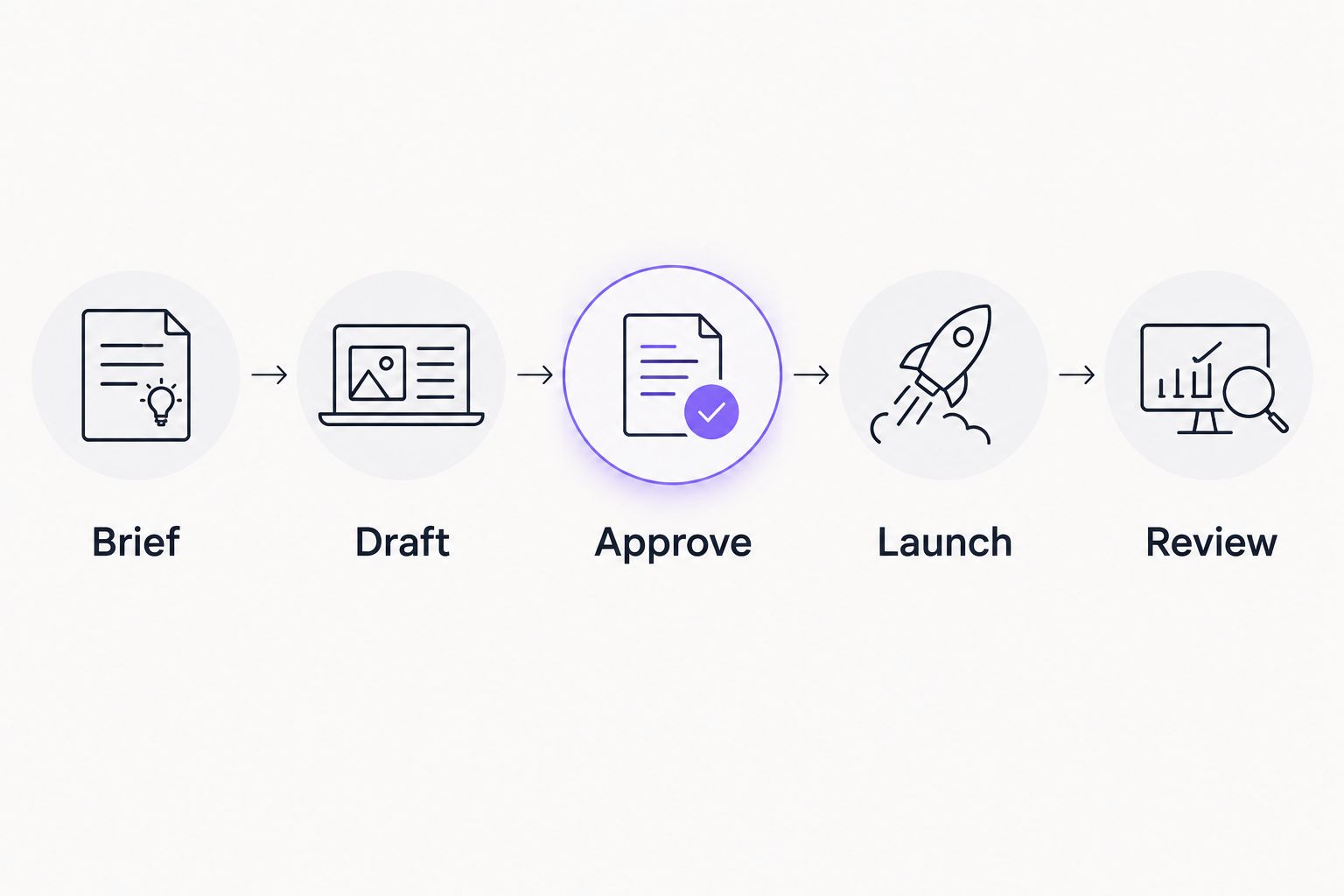
The pilot should test operations as well as campaign delivery. You need to know who sees a proposed change, who authorizes it, and how the team checks what happened afterward.
- Capture the account's starting campaign settings.
- Restrict the pilot to an agreed campaign workflow.
- Confirm the destination, conversion event, and budget.
- Record approvals before publishing.
- Review changes before extending access to another account.
6. Review exceptions instead of repeating every task
Start with a manual review checklist and a shared issue log. Separate routine observations from decisions that require action: tracking problems, disapproved ads, an incorrect destination, or spending outside the client's authorization. Automation should reduce repetitive handling, not remove accountability.
An agency needs a named owner for each exception. A brand needs a clear route to resolve issues involving product facts, site changes, or business priorities. The person operating the advertising account cannot resolve every underlying business problem alone.
For your 2026 operating process, specify what happens when measurement is unreliable. Do not authorize performance-based changes using a conversion event you have not validated. Review the event and reporting first, then decide whether campaign changes are justified.
- Assign an owner to each type of exception.
- Check tracking before interpreting a sudden performance change.
- Escalate unauthorized spending or incorrect destinations.
- Record the reason for each consequential intervention.
- Separate creative issues from website and measurement issues.
7. Evaluate results account by account
Use a spreadsheet to compare each account against its own agreed objective. Record advertising outcomes alongside operating work: drafting, revisions, approvals, launches, and troubleshooting. Measure the actual work rather than accepting a vendor's time-saving claim.
Agencies should preserve client-level results before summarizing their portfolio. Brands should compare attributed advertising revenue with their own sales records and business costs. An aggregate result can conceal a client account that misses its objective.
In 2026, expansion should depend on both campaign outcomes and operating reliability. Faster launches are useful only when the correct account, approved message, and authorized budget reach publication. If the team spends its saved drafting time correcting account mistakes, the workflow needs fixing before expansion.
- Review each account against its approved objective.
- Record actual time spent on recurring tasks.
- Track revisions, rejected drafts, and approval delays.
- Reconcile advertising reports with business reporting.
- Expand only after reviewing results and operating failures.
Compare the main workflow options
Choose the option that fits the work you are delegating. The comparison below separates direct account operation, writing assistance, and broader campaign automation; none removes the need for client authorization or accurate product inputs.
| Option | Best for | Practical advantage | Key limitation |
|---|---|---|---|
| Meta Ads Manager | Agencies managing Meta campaigns and brands advertising on Facebook or Instagram | Direct campaign setup and management within Meta's advertising environment | Does not replace campaign management in other advertising platforms |
| Google Ads | Agencies managing Google campaigns and brands buying Google advertising | Direct management within Google's advertising environment | Does not manage Meta campaigns |
| General-purpose writing assistants | Agencies preparing client drafts and brands developing message concepts | Help turn an approved brief into copy variations | Copy generation alone is not campaign launch or account management |
| TezAds | Agencies and e-commerce brands seeking writing, launch, and optimization together | Stated campaign workflow spans Meta, Instagram, Google, TikTok, YouTube, and X | Agency-specific approvals, permissions, and reporting need separate verification |
| Manual briefs and spreadsheets | Agencies establishing account controls and brands defining campaign requirements | Keep decisions and responsibilities explicit | Require manual updates and do not execute campaign changes |
Keep native account access even when you adopt another management layer. Your agency still needs a way to inspect the underlying campaign. Your brand still needs clarity about ownership and who can make changes.
Common mistakes multi-account agencies make
Treating creative generation as full account automation
A writing tool can produce drafts without knowing whether the campaign has the correct conversion event or authorized budget. Agencies should evaluate creation, launch, and optimization separately. Brands should ask which task the proposed tool actually replaces.
Copying operating rules between clients
Reusable templates are useful; reusable business assumptions are not. An agency should copy the brief structure, then obtain each client's answers. A brand should approve its own objectives rather than inherit another advertiser's ROAS target or spending rules.
Counting roadmap features as current capabilities
A planned integration does not support today's account workflow. Require a demonstration of the feature you intend to use, and keep planned capabilities outside the current comparison. Both agencies and brands need an acceptable workflow before making a commitment.
Reporting only a blended portfolio result
A portfolio summary is not a substitute for client-level evaluation. Agencies must show how each account performed against its own objective; brands need the result that applies to their business. Keep the summary, but retain the underlying account view.
FAQ
What's the best AI ads automation for agencies managing multiple accounts?
The best fit is software that performs your required campaign tasks while preserving client-specific permissions and approvals. TezAds fits agencies and e-commerce brands seeking writing, launch, and optimization; evaluate agency controls separately before adopting it.
Can I use AI tools to create and manage Meta ads?
Yes, but ad creation and campaign management are separate capabilities. Check whether the tool only drafts creative or also supports campaign launch and optimization, then review how changes receive approval.
Is Meta Ads Manager better than an automation platform?
Meta Ads Manager is the direct option for managing campaigns within Meta's advertising environment. An automation platform serves a different need when you want additional workflow assistance or campaign work across advertising platforms.
How should an agency start automating client accounts?
Start with one client account and a bounded campaign workflow. Document permissions, conversion rules, approved spending, and the review process before allowing the software to act.
Does ad automation guarantee better ROAS?
No, ad automation does not guarantee better ROAS. Evaluate campaign results against the account's objective and distinguish attributed advertising revenue from business profitability.
What should an e-commerce brand ask its agency before approving automation?
Ask which actions the software performs and which actions require approval. Confirm account ownership, conversion definitions, spending authority, and the process for reviewing changes.
How do I tell whether an integration is live or on the roadmap?
Ask the provider to demonstrate the required workflow in the current product. Treat planned integrations as future possibilities, not capabilities supporting your account today.
One last thing
Test offboarding before expanding onboarding. Ask your team to demonstrate how it removes an operator's access while preserving the client's account ownership and campaign records. That exercise exposes unclear responsibilities before they affect a live client relationship.
Make this part of your 2026 acceptance criteria. Campaign speed is useful; a clear handover is what keeps the operating model manageable when clients or team members change.


