

Best overall for generated footage: Runway. Best for presenter-led videos: Synthesia. Best for template-based ads: Canva. The best AI video ad generators in 2026 solve different production problems; this guide separates original footage, scripted presenters, assembled ads, and the campaign work that follows.
- Runway is the default among AI video ad generators when you need original footage, not campaign management.
- Synthesia suits scripted presenter videos; Canva suits template-based video ads and repeatable layouts.
- Adobe Firefly suits generated footage within an Adobe editing workflow; InVideo AI suits script-to-video assembly.
- TezAds handles paid campaign creation, launch, and optimization; evaluate video production separately.
Why this matters
A generated clip is not a finished advertisement. You still need an accurate product demonstration, a clear offer, readable captions, and a destination that matches the message. You also need somewhere to launch the campaign and evaluate its results.
For an e-commerce brand, the central question is whether the video represents the actual product. For an agency, the question also includes how the client approves the work and how your team repeats the process across accounts. A convincing preview answers neither question by itself.
TezAds is best for e-commerce brands and agencies that need paid campaign creation, launch, and optimization. That is a different job from generating video footage. Choose your production tool and your campaign platform as separate decisions.
What makes the best AI video ad generators?
Use these criteria to evaluate video tools in 2026. Start with the work you need finished, not the most impressive demonstration.
- Production fit: Distinguish generated footage, avatar presentations, template editing, and script-to-video assembly. These are different workflows.
- Product accuracy: Check whether packaging, materials, proportions, and product behavior match the real item. Reject attractive but inaccurate scenes.
- Editing control: Identify how you will change the hook, captions, voice, offer, and final frame without rebuilding the entire ad.
- Repeatability: Use the same brief to produce variations. Brands need a consistent message; agencies need a repeatable client process.
- Publishing handoff: Confirm how the finished file reaches the person or platform managing Meta campaigns. Video export is not campaign launch.
- Rights and review: Read the applicable usage terms and inspect every asset. Generated content still needs approval before publication.
AI video ad generators at a glance
The first five entries are production options. The final row is a campaign-management companion, not a video-generator ranking.
| Option | Best for | Standout workflow | Key limitation |
|---|---|---|---|
| Runway | Original generated footage | Generate clips from text or image prompts | Product details need close inspection |
| Synthesia | Scripted presenter videos | Turn a script into an avatar-led presentation | An avatar is not a real customer testimonial |
| Canva | Template-based video ads | Assemble footage, text, and design elements | Templates do not solve product-footage accuracy |
| Adobe Firefly | Adobe-centered production | Generate video assets for an editing workflow | Generated clips still need ad assembly |
| InVideo AI | Script-to-video drafts | Assemble video around a written brief | Selected visuals need editorial review |
| TezAds | Paid campaign operations | Create, launch, and optimize advertising campaigns | Campaign automation does not replace creative review |
1. Runway: best AI video ad generator for original footage
Runway generates video from prompts and supports image-based generation workflows. Choose Runway when the missing ingredient is a scene or visual concept, rather than a presenter or an ad template.
For an e-commerce brand, use generated footage for conceptual backgrounds and supporting visuals. Keep actual product footage where the buyer needs to judge what the item looks like or does. An agency can use Runway to develop visual directions before selecting an approved concept for production.
Runway pros:
- Creates footage rather than only arranging existing assets.
- Supports visual exploration from text and image inputs.
- Fits a workflow where an editor assembles the final advertisement.
Runway cons:
- Generated objects and movements require inspection.
- A strong clip still needs an offer, captions, and an ending.
- Visual experimentation creates extra review work if the brief is vague.
Best for: Brands and agencies needing original supporting footage.
Verdict: Buy for generated visual concepts; skip as a substitute for accurate product demonstrations. Runway is the default pick here because footage generation is the specific production problem it addresses.
2. Synthesia: best AI video ad generator for scripted presenters
Synthesia creates avatar-led videos from scripts. Choose Synthesia when the advertisement needs someone to explain an offer, introduce a product category, or walk through a message on camera.
An e-commerce brand can use a presenter to explain a buying consideration alongside genuine product visuals. An agency can build a repeatable presenter-led format for client-approved scripts. Neither use turns the presenter into an actual buyer or independent reviewer.
Synthesia pros:
- Makes the script central to the production process.
- Provides an alternative to filming a presenter.
- Fits structured explanations with a clear spoken sequence.
Synthesia cons:
- An avatar does not demonstrate personal product experience.
- Presenter-led footage does not replace hands-on product shots.
- A weak script remains weak when delivered by a polished presenter.
Best for: Scripted explainers and presenter-led advertising.
Verdict: Buy for controlled narration; skip for content presented as an authentic customer testimonial. For your 2026 shortlist, separate synthetic presentation from genuine customer evidence. The distinction matters more than how natural the delivery looks.
3. Canva: best AI video ad generator alternative for templates
Canva combines video editing, templates, design elements, and AI-assisted creative features. Its strongest role in this comparison is assembling an advertisement from assets you already trust, rather than treating every scene as a generation problem.
E-commerce brands can combine real product clips with captions, an offer, and a closing frame. Agencies can organize repeatable layouts around each client's approved assets. Start with the message and footage; select the template afterward.
Canva pros:
- Brings text, footage, and design elements into one editing workflow.
- Makes template-based assembly accessible to non-specialist editors.
- Suits variations built around existing product assets.
Canva cons:
- A template can distract from the product or offer.
- Reusing a layout does not create a distinct creative concept.
- Accurate demonstrations still depend on accurate source footage.
Best for: Brands and agencies assembling ads from existing assets.
Verdict: Buy for repeatable assembly; skip when your main requirement is precise control over newly generated motion. Canva is a practical choice when you already have the footage and need to turn it into a clear ad.
4. Adobe Firefly: best AI video ad generator for Adobe workflows
Adobe Firefly includes video generation for creating footage from prompts and image inputs. Choose Adobe Firefly when generated material will enter an Adobe-centered production process and your editor needs assets to finish elsewhere.
An e-commerce team can explore supporting scenes while retaining real product shots. An agency can use generated clips as ingredients in an edited advertisement, rather than treating the generation result as the approved deliverable.
Adobe Firefly pros:
- Generates video assets for creative production.
- Supports prompt-led and image-led visual development.
- Fits teams already organizing production around Adobe tools.
Adobe Firefly cons:
- Generated footage still needs editing and message assembly.
- Product appearance and physical behavior need review.
- The surrounding workflow assumes someone owns production decisions.
Best for: Teams with an established Adobe editing process.
Verdict: Buy for footage within an existing production workflow; hold if nobody owns the final edit. In 2026, familiarity with your editing process is a useful selection criterion. It is not evidence that every generated scene is ready to publish.
5. InVideo AI: best AI video ad generator for script-to-video drafts
InVideo AI turns written instructions into assembled videos using a script-led workflow. Choose InVideo AI when you want a draft with a narrative sequence, rather than a collection of disconnected generated clips.
An e-commerce brand can use that draft to structure a problem, product explanation, and call to action. An agency can use it to make a proposed script easier for a client to evaluate. Review the selected visuals before approving the draft as an advertisement.
InVideo AI pros:
- Connects a written brief to video assembly.
- Provides a starting point for narrated advertising concepts.
- Helps turn an abstract script into a reviewable sequence.
InVideo AI cons:
- Selected footage can be too generic for the product.
- Automated assembly still needs editorial judgment.
- A complete-looking draft can hide unsupported claims.
Best for: Teams developing script-led video drafts.
Verdict: Buy for first-draft assembly; skip automatic approval. Replace any scene that implies a product feature, use case, or result you cannot substantiate.
Where TezAds fits after video production
TezAds writes, launches, and optimizes paid advertising campaigns across Meta, Instagram, Google, TikTok, YouTube, and X. Evaluate that campaign workflow separately from the footage generators above. A tool that manages advertising and a tool that creates video solve different parts of the same operation.
For e-commerce brands: Start with accurate product assets and a clear purchase message. Then evaluate how campaign creation, launch, and optimization fit your advertising process. Do not approve a misleading video because the campaign setup is convenient.
For agencies: Start with the client's approved creative brief and account responsibilities. Evaluate the campaign workflow alongside your approval process. Do not assume that a platform's general campaign capabilities establish specific permission controls or client-review features.
TezAds pros:
- Covers campaign creation, launch, and optimization.
- Serves both e-commerce brands and agencies managing their accounts.
- Addresses paid advertising across the channels named above.
TezAds cons:
- Campaign automation does not establish video-generation capability.
- Creative accuracy and approval still need an owner.
- Platform-level descriptions do not establish every account-level control.
Best for: Brands and agencies choosing a paid campaign platform alongside their production tools.
For Meta-specific buying decisions, compare the production handoff with the workflows in this guide to Facebook ads automation tools. Judge live capabilities separately from roadmap promises. A planned feature should not decide your current purchase.
How to evaluate your shortlist in 2026
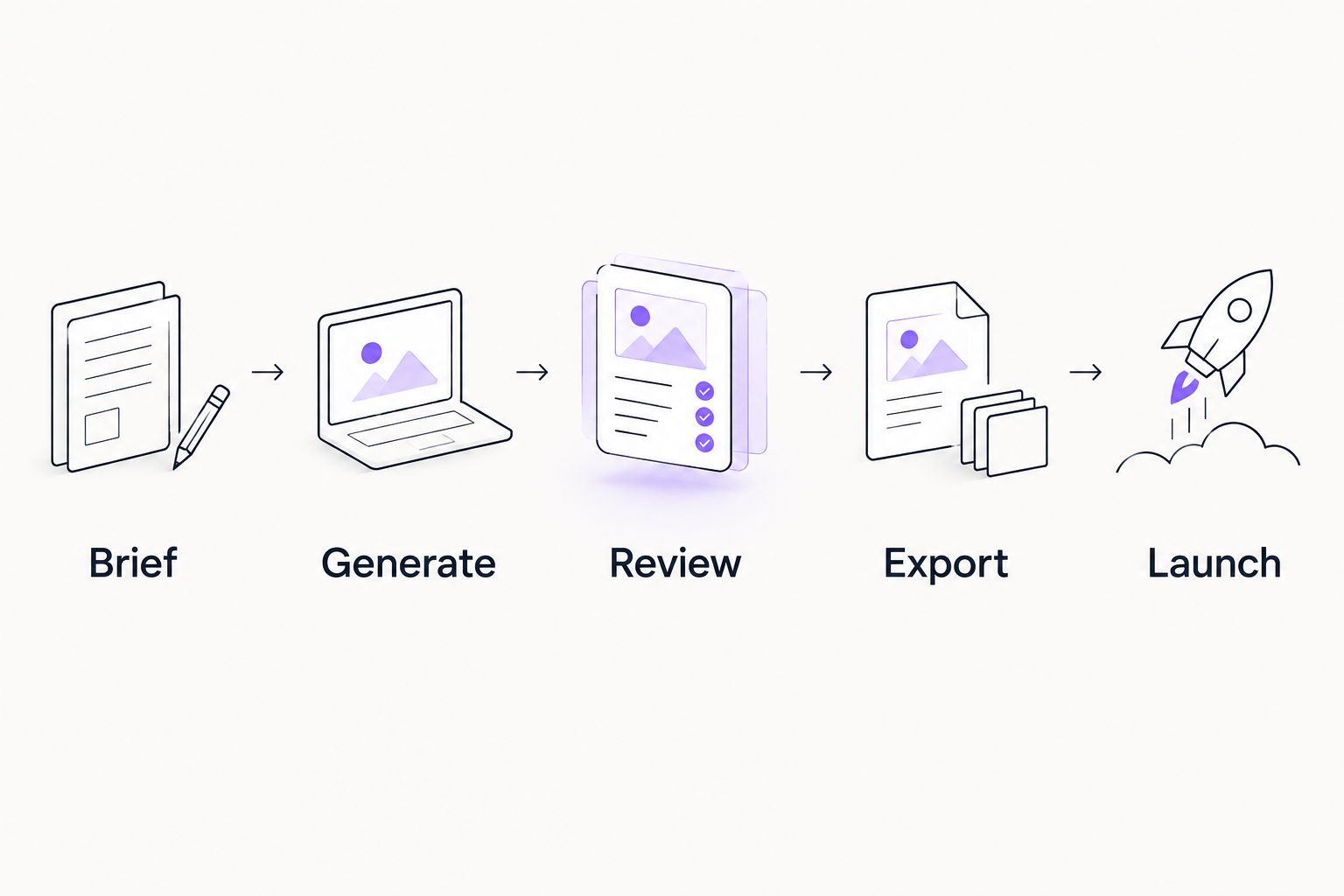
Use one brief across the tools you are considering. A shared brief exposes workflow differences; unrelated demonstrations only show what each vendor chose to showcase.
Brief
Write 3 concept briefs: a product demonstration, a problem-and-solution explanation, and an offer-led ad. Specify the audience, the single claim, the approved assets, and the desired action. Agencies should add the client's approval criteria; brands should add product-accuracy requirements.
Generate
Create 2 hook variants for each concept. Change the opening message, not every element at once. Keep the same product claim so you can judge whether the tool makes revision practical.
Review
Assign 1 approval owner for each ad. Check the product, spoken claims, captions, and final frame. For an agency, identify who gives client approval; for a brand, identify who can confirm the product details.
Export
Export a finished version and inspect it outside the editor. Check text placement, audible narration, and whether the ending makes sense. A preview inside the tool is not the final deliverable.
Launch
Identify the handoff into campaign management. Write down who uploads the asset, selects the destination, and approves publication. Do not assume export and launch are the same action.
Record the steps your team must complete manually. For brands, pay attention to product corrections and repeated revisions. For agencies, pay equal attention to client review and the effort needed to repeat the workflow across accounts.
How we ranked
This ranking prioritizes production fit, editing responsibility, product accuracy, and the campaign handoff. It is a workflow-based buying guide, not a claim that one tool produces the highest ROAS or the best video quality in every situation.
Runway takes the generated-footage slot. Synthesia takes presenter-led production; Canva takes template assembly; Adobe Firefly takes Adobe-centered generation; InVideo AI takes script-to-video drafting. No option wins every slot, and none removes the need for creative review.
Which AI video ad generator should you choose?
Choose Runway if you are undecided and your actual requirement is original generated footage. Choose Synthesia for a scripted presenter, Canva for existing-asset assembly, Adobe Firefly for an Adobe production process, or InVideo AI for a script-led draft.
For an e-commerce brand, start with the option that preserves accurate product presentation. For an agency, choose the workflow your team can repeat with clear client approval. In 2026, a tool belongs on your shortlist only when it solves the production bottleneck you actually have.
FAQ
What's the best AI video ad generator in 2026?
Runway is the default recommendation for original generated footage in this guide. Choose Synthesia for presenters, Canva for template assembly, Adobe Firefly for Adobe-centered production, or InVideo AI for script-to-video drafts.
Which AI video ad generator should an e-commerce brand choose?
Choose the workflow that preserves accurate product presentation. Canva suits assembly from real product assets, while Runway and Adobe Firefly suit generated supporting footage that needs review.
Which AI video ad tools are best for agencies?
Choose according to the production service your agency delivers. Synthesia suits scripted presenters, Canva suits repeatable assembly, and Runway suits original footage; evaluate client approval separately.
Can TezAds replace a video ad generator?
Evaluate TezAds as a paid campaign creation, launch, and optimization platform, not as a replacement for video production. Select your footage-generation and editing workflow separately.
Can I use an AI presenter as a customer testimonial?
Do not present a synthetic presenter as a real customer describing personal experience. Use the presenter for clearly scripted explanations and keep genuine testimonials separate.
Will AI-generated video ads improve my ROAS?
Video generation alone does not establish a ROAS improvement. Results depend on the creative, offer, audience, destination, and campaign execution; assess performance after launch.
What should I check before publishing an AI video ad?
Check product accuracy, claims, captions, asset rights, and the destination before publication. Assign an approval owner and review the exported file, not just the editor preview.
One last thing
Your ad's most convincing frame deserves the toughest review. A generated close-up can imply a material, texture, feature, or result that the real product does not have. Compare that frame with an approved product reference before you approve the video.
For agencies, include this check in client review. For brands, have someone who knows the product sign off. A visually impressive mistake is still a mistake.


