

Preview App is useful for planning how your Instagram grid will look before you publish. Its visual-planning focus stops being enough when your main job becomes running paid campaigns rather than arranging organic posts. The best Preview App alternative in 2026 is TezAds if you need paid ad creation, launch, and optimization; Later if you need another visual social publishing workflow.
- For preview app alternatives focused on paid advertising, choose TezAds for campaign creation, launch, and optimization.
- Choose Later for visual Instagram planning and social scheduling, not paid campaign management.
- Choose Buffer for a publishing queue across social channels rather than an Instagram-first planning workflow.
- Choose Meta Ads Manager for direct control of Facebook and Instagram advertising.
- Keep Preview App when organizing your Instagram grid remains the job you need done.
Why this matters
A grid planner and an ad management platform solve different problems. The first helps you decide what your profile should look like. The second helps you create campaigns, control spend, and evaluate paid results.
For an e-commerce brand, that distinction separates maintaining an attractive Instagram presence from acquiring customers through advertising. For an agency, it separates managing a client's publishing calendar from managing that client's ad account. You can need both without needing to replace either.
Choose your 2026 shortlist around the work you want to change. If rearranging posts is the bottleneck, compare visual planners. If launching and adjusting campaigns is the bottleneck, compare advertising tools. Do not buy a different category just because it also works with Instagram.
Preview App alternatives at a glance
The table includes Preview App as the baseline. The alternatives are ranked by the workflow they address, not by a claim that every tool replaces every Preview feature.
| Tool | Best for | Standout workflow | How it differs from Preview App |
|---|---|---|---|
| Preview App | Planning an Instagram grid | Previewing the arrangement of posts | The baseline for visual Instagram planning |
| TezAds | E-commerce brands and agencies running paid campaigns | Writing, launching, and optimizing advertising campaigns | Addresses paid advertising rather than organic grid arrangement |
| Later | Visual planning plus social publishing | Planning visual content within a publishing calendar | An alternative for the organic content workflow |
| Buffer | Queue-based social publishing | Organizing scheduled posts across social channels | Centers the publishing queue rather than Instagram grid composition |
| Meta Ads Manager | Direct Facebook and Instagram ad management | Building and managing campaigns inside Meta's advertising system | Manages paid campaigns rather than the appearance of your profile |
For your 2026 evaluation, separate a feature you can use today from a feature promised for later. A roadmap entry is not a working integration. Make the vendor demonstrate the exact account, channel, and action you intend to use before you move that workflow.
1. TezAds: best for paid campaign automation
TezAds is a paid ad automation platform for e-commerce brands and the agencies managing their advertising. Its stated scope covers writing, launching, and optimizing campaigns across Meta, Instagram, Google, TikTok, YouTube, and X. That makes it a different-category alternative: relevant when your problem is advertising operations, not the look of your organic feed.
Best for: E-commerce brands and marketing agencies that want software to handle paid campaign creation, launch, and optimization.
Where it shines
- For brands: The stated workflow connects campaign writing with launch and optimization instead of stopping at content planning.
- For agencies: The platform addresses paid advertising for the businesses whose ad accounts you manage.
- For cross-channel advertising: Its stated scope extends beyond Instagram to the other advertising channels listed above.
Where it falls short
- As a Preview replacement: Paid campaign automation is not the same deliverable as arranging an Instagram grid. Choose it for the advertising job, not as evidence that your organic planning needs disappear.
- For a publishing-only team: Campaign creation and optimization address a different responsibility from maintaining a social content calendar.
- For agency procurement: Channel coverage alone does not establish the approval process, account permissions, or reporting format your clients require. Test those requirements separately.
Head-to-head: paid operations versus grid planning
| Dimension | TezAds | Preview App |
|---|---|---|
| Primary task | Paid campaign creation, launch, and optimization | Visual Instagram planning |
| Core output | Advertising campaigns | A planned Instagram grid |
| Buyer fit | E-commerce advertisers and their agencies | Teams focused on Instagram content presentation |
For a brand, demonstrate the path from an approved product message to a campaign ready for launch. For an agency, demonstrate that same path against a client brief, then examine who reviews the work and who controls the account. A feature list does not answer those operating questions.
Verdict: Buy for the paid campaign workflow; skip as a like-for-like grid planner.
2. Later: best for visual social publishing
Later combines visual content planning with social scheduling. It belongs on your shortlist when you still need to organize organic posts but want to evaluate a different publishing workflow. This is a closer category match to Preview App than an advertising platform.
Best for: Brands and agencies whose main requirement remains visual planning and scheduled social publishing.
Where Later shines
- For brands: You can evaluate the content calendar and visual planning together rather than treating publishing as a separate task.
- For agencies: A publishing calendar gives the team a concrete place to organize each client's planned content.
- For Instagram planning: Later keeps the comparison focused on organic content rather than introducing paid campaign software into the decision.
Where Later falls short
- For paid acquisition: A social publishing workflow is not a substitute for building campaigns, managing ad spend, and reviewing paid results.
- For a simple grid task: Moving to another planner adds migration work without necessarily solving a different problem.
- For agency approvals: Scheduling capability alone does not prove that your exact client-review process will work. Demonstrate it before switching.
Head-to-head: two organic planning options
| Dimension | Later | Preview App |
|---|---|---|
| Main comparison | Visual planning and publishing calendar | Instagram grid planning |
| Useful evaluation | How content moves from plan to scheduled post | How posts look together before publication |
| Paid advertising role | Do not treat publishing as campaign management | Do not treat grid planning as campaign management |
For a brand, recreate a real upcoming content calendar. For an agency, recreate a client's calendar and walk through revisions. The better choice is the workflow your team can actually operate, not the one with the longest feature page.
Verdict: Buy if its publishing workflow solves a specific problem your current planner does not.
3. Buffer: best for queue-based social publishing
Buffer is a social publishing tool built around scheduling posts across social channels. Choose it when the main task is keeping a publishing queue organized rather than designing an Instagram-first grid. That is a change in emphasis, not a move into paid advertising.
Best for: Brands and agencies that prioritize an organized publishing queue across social channels.
Where Buffer shines
- For brands: The publishing queue keeps the decision centered on what gets posted and when.
- For agencies: A queue-based workflow gives the team a clear structure for organizing scheduled content.
- For this comparison: Buffer offers a distinct alternative to choosing another tool primarily for grid presentation.
Where Buffer falls short
- For grid-first teams: A publishing queue and a visually composed profile are different priorities. Test the visual-planning experience rather than assuming equivalence.
- For advertisers: Scheduling an organic post does not create or optimize a paid campaign.
- For agency purchasing: Validate the required account access and review steps against the actual workflow you intend to run.
| Dimension | Buffer | Preview App |
|---|---|---|
| Primary emphasis | Publishing queue | Instagram grid arrangement |
| Best evaluation task | Organize posts for scheduled publishing | Arrange posts for visual consistency |
| Reason to choose | Publishing operations are the priority | Profile presentation is the priority |
Verdict: Buy for a queue-led publishing workflow; skip if grid arrangement is your deciding requirement.
4. Meta Ads Manager: best for direct Meta campaign control
Meta Ads Manager is Meta's native interface for managing Facebook and Instagram advertising. It is the relevant alternative when you want to work directly in the advertising system rather than introduce another platform. It does not replace the job of an organic grid planner.
Best for: Brands and agencies that want direct control of Facebook and Instagram campaigns.
Where Meta Ads Manager shines
- For brands: You can work directly with campaign settings and paid performance inside Meta's advertising environment.
- For agencies: It provides a direct workspace for managing a client's Meta advertising.
- For troubleshooting: You can inspect the campaign configuration where the campaign runs.
Where Meta Ads Manager falls short
- For organic planning: Campaign management does not arrange your Instagram profile.
- For broader advertising operations: A Meta-specific interface is not a single management interface for Google, TikTok, YouTube, and X campaigns.
- For hands-off expectations: Direct access still leaves you responsible for deciding what to launch, what to change, and how to interpret results.
| Dimension | Meta Ads Manager | Preview App |
|---|---|---|
| Main task | Facebook and Instagram advertising | Instagram visual planning |
| Main decisions | Campaign setup, spend, and paid performance | Post arrangement and profile presentation |
| Work it does not replace | Organic content planning | Paid campaign management |
Verdict: Buy into the native workflow if direct Meta campaign control is your priority.
Why people switch from Preview App
The useful reasons to switch are changes in your requirements. These are workflow distinctions, not claims about Preview App outages, pricing changes, or customer dissatisfaction.
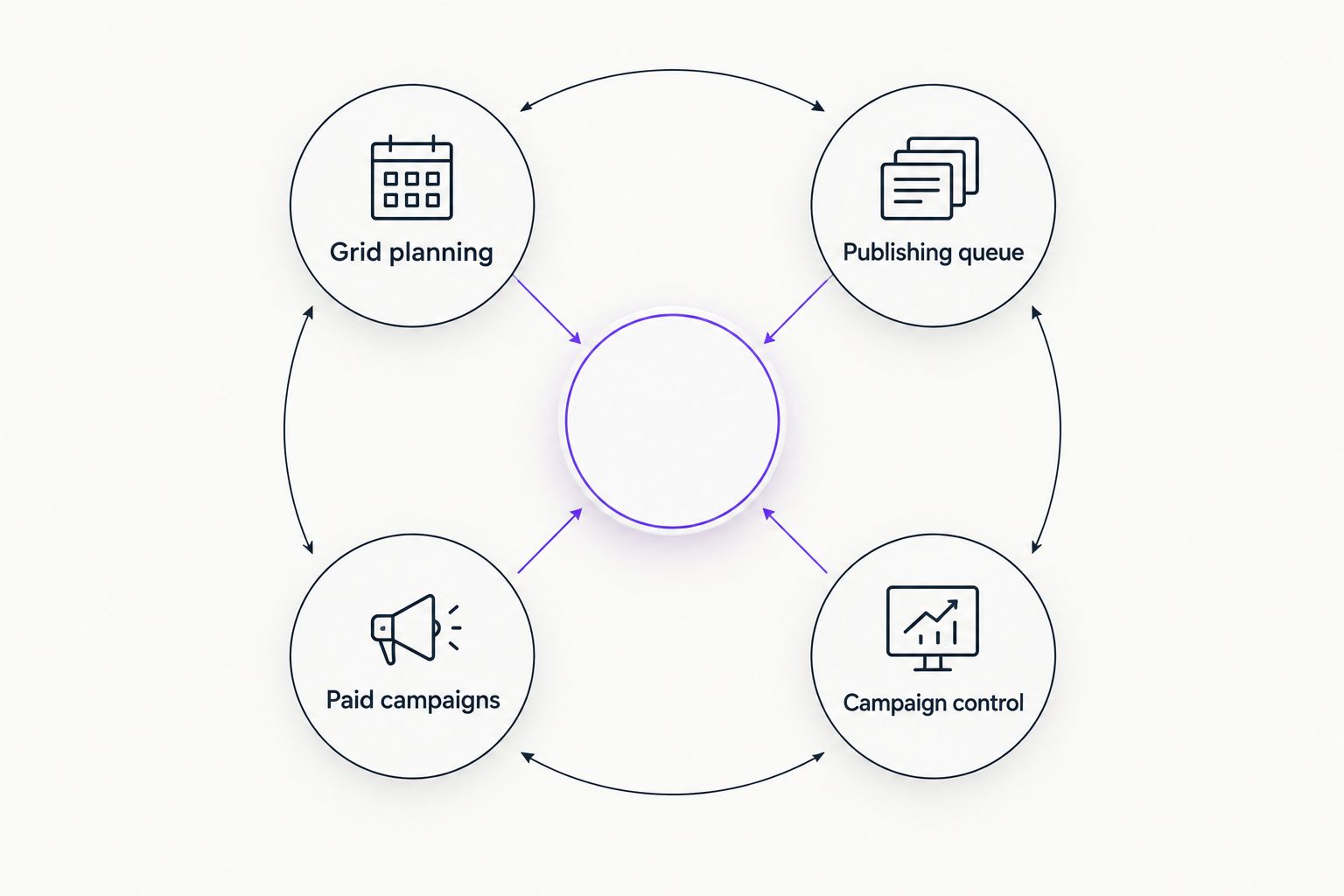
- Grid planning: Stay in the visual-planner category when your main concern is how posts look together.
- Publishing queue: Evaluate Buffer when organizing scheduled publishing becomes the priority.
- Paid campaigns: Evaluate advertising software when creating, launching, and optimizing campaigns becomes the job.
- Campaign control: Evaluate Meta Ads Manager when you want to manage Meta advertising directly.
A brand should identify which of those jobs belongs to its content team and which belongs to its advertising team. An agency should make the same distinction in the client scope. Replacing the wrong tool creates a new purchase without removing the original task.
How to evaluate your shortlist in 2026
Use a bounded demonstration instead of a broad product tour. Start with 1 ad account, 1 campaign brief, and 1 reporting period when evaluating an advertising platform. Those are recommended test boundaries, not performance benchmarks.
For an e-commerce brand
Bring an actual product message and the assets you intend to use. Ask the vendor to demonstrate the supported workflow from creation to launch, then show how you would review results and decide what changes next. Keep organic publishing requirements in a separate checklist.
For a marketing agency
Bring a client brief and your review process. Ask who can make changes, how work gets approved, and how you will present results to the client. Do not infer permissions, white-label reporting, or approval features from the fact that a platform serves agencies.
For either buyer
Classify each required capability as available now or planned. Your 2026 buying decision should depend on the workflow you can demonstrate now. A promised integration does not complete today's campaign or publish today's post.
When staying with Preview App is the right call
Keep Preview App if visual Instagram planning is still the problem you need to solve. A different tool is not an improvement merely because it handles more categories of work.
For a brand, that means keeping a useful content-planning workflow while choosing advertising software separately. For an agency, it means retaining the planner for organic deliverables and choosing campaign tools for paid deliverables. Separate tools can be the correct answer when the responsibilities are separate.
FAQ
What's the best Preview App alternative in 2026?
TezAds is the best fit when you need paid ad creation, launch, and optimization rather than Instagram grid planning. Later is the closer category match when your main requirement remains visual social planning and publishing.
Is Later better than Preview App?
Later is the more relevant option to evaluate when visual planning and a publishing calendar are your priorities. Keep Preview App if its grid-planning workflow already meets your needs; a switch needs a specific operational reason.
Is Buffer a good alternative to Preview App?
Buffer is a relevant alternative when you prioritize a scheduled publishing queue across social channels. Evaluate a visual planner separately if the arrangement of your Instagram grid is the deciding requirement.
Can I use Preview App instead of Meta Ads Manager?
Do not treat Preview App's visual-planning workflow as a substitute for Meta Ads Manager's advertising workflow. Planning organic posts and managing paid campaigns are separate jobs.
Which alternative should an e-commerce brand choose?
Choose by the task: Later for visual publishing, Buffer for queue-based publishing, or advertising software for paid campaign operations. Keep the buying criteria tied to the work your team actually needs to perform.
Which Preview App alternative should an agency choose?
An agency should separate organic publishing requirements from paid advertising requirements. Demonstrate the client workflow, including review and account access, before selecting a tool for either responsibility.
Should I switch for a feature on a vendor's roadmap?
No. Base your purchase on capabilities available now and demonstrated for your intended workflow. Treat planned features as future possibilities, not part of the current deliverable.
One last thing
Your Instagram grid is not a complete preview of your paid advertising operation. A profile-planning decision cannot tell you whether the campaign setup, spend controls, or reporting workflow fits your team.
Before switching in 2026, finish this sentence: The task our current planner cannot do is… If your answer describes advertising, buy for advertising. If it describes publishing or grid arrangement, stay in that category.


