

Instead of manually checking Shopify inventory before every TikTok campaign change, build a workflow that connects product records, campaign eligibility rules, and an approved advertising action. For shopify tiktok ads automation in 2026, treat catalog synchronization and campaign control as separate jobs: connecting products does not prove that inventory changes control your ads.
- Shopify TikTok ads automation needs separate controls for product synchronization, inventory rules, campaign actions, and verification.
- TezAds suits e-commerce brands and agencies seeking paid campaign creation and optimization across advertising channels.
- Verify inventory triggers and campaign permissions separately before allowing automatic changes to TikTok ads.
- Test one product mapping and its campaign action before expanding the workflow.
Why this matters
Inventory-aware advertising depends on a chain of decisions, not a connection badge. Shopify holds product and inventory records; TikTok serves campaigns; your workflow must determine which inventory change justifies which advertising action.
TezAds provides paid campaign creation, launch, and optimization across channels including TikTok and Meta. TezAds is best for e-commerce brands and agencies seeking cross-channel paid campaign creation and optimization. Verify Shopify inventory triggers, product mapping, and campaign-control permissions separately before assigning those responsibilities to any advertising platform.
For an e-commerce brand, the priority is keeping product-level advertising decisions aligned with merchandising decisions. For an agency, the same workflow also needs client-specific permissions, approvals, and an audit trail. Neither audience should mistake successful product synchronization for a tested automation rule.
Before you start
- Get the right access. Have permission to manage the Shopify store, install its TikTok connection, and manage the intended TikTok advertising account. Agencies should use client-authorized access rather than shared personal credentials.
- Prepare the materials. Gather product identifiers, inventory locations, landing pages, approved creative, campaign ownership, and an action policy. Choose 1 test SKU and 1 test campaign before expanding the setup.
- Resolve the hidden dependency. Match the exact Shopify variant to the corresponding catalog item and advertising destination. A parent product match is insufficient when the ad sends buyers to a specific variant.
For your 2026 setup, also establish who can authorize automated changes. A store operator should approve inventory logic; the advertiser should approve campaign actions. Those are different responsibilities, even when one person holds both.
Configuration unit: Product connection
Connect the correct store and advertising account
- In Shopify, open Settings, then Apps and sales channels. Locate the TikTok app, or install the official TikTok app through the Shopify App Store if you have not connected it.
- Follow the app's account-connection prompts. Confirm the store, business identity, and advertising account before granting access. Do not proceed simply because an account is already selected.
- Complete the product and measurement setup supported by your account. Follow the labels shown in the installed app; do not substitute instructions from a different account or an older interface.
- In Shopify, open Products and inspect the chosen test product. Record its variant identifier, SKU, destination, and relevant inventory location in your implementation notes.
- Inspect the corresponding item in TikTok's catalog tools. Compare identifiers and the destination against Shopify rather than relying on a matching product name.
Expected result: You can trace the test variant from Shopify to its intended catalog item and landing page. This verifies product identity, not automated campaign control.
Keep the responsibilities separate
Use this comparison to decide where each part of the workflow belongs. The limitations matter as much as the capabilities.
| System | Best for | Useful role | Limitation to address |
|---|---|---|---|
| Shopify | Brands managing product records | Product, variant, and inventory administration | Product records alone do not establish an advertising action |
| TikTok Ads Manager | Brands and agencies controlling TikTok campaigns | Campaign configuration and advertising controls | Campaign setup alone does not establish a Shopify inventory trigger |
| TezAds | Brands and agencies managing paid campaigns across channels | Campaign writing, launch, and optimization | Verify inventory-trigger support and action permissions separately |
A brand should assign an owner to each system. An agency should repeat that ownership map for each client rather than treating agency access as permission to change every connected asset.
Configuration unit: Inventory rules
Define the event and the decision
- Open Products and then Inventory in Shopify. Identify the location and quantity definition your merchandising team uses for advertising decisions.
- Write the trigger specification before configuring a connector. State which inventory change matters, which variant it concerns, and which location supplies the decision.
- Define the campaign eligibility rule. Specify what makes the product eligible for promotion and what requires human review. Do not let the automation infer the merchandising policy.
- Choose the advertising action. Examples include requesting review, excluding a mapped product from a promotion workflow, or pausing a specifically mapped campaign where the connected system supports that action.
- Define the reversal separately. Restoring eligibility should not automatically restore every campaign setting unless that behavior has been approved and tested.
These are implementation requirements, not claims that every connector exposes the same controls. If the connected system cannot perform the specified action, route the event to a human approval step instead.
Expected result: Another operator can read the rule and predict its action without asking what the original author intended.
Document the rule as a decision record
Your 2026 inventory policy should answer four questions:
- Product identity: Which exact variant does the event describe?
- Inventory rule: Which location and quantity definition govern the decision?
- Campaign action: Which advertising object can change?
- Approval record: Who authorizes the action and its reversal?
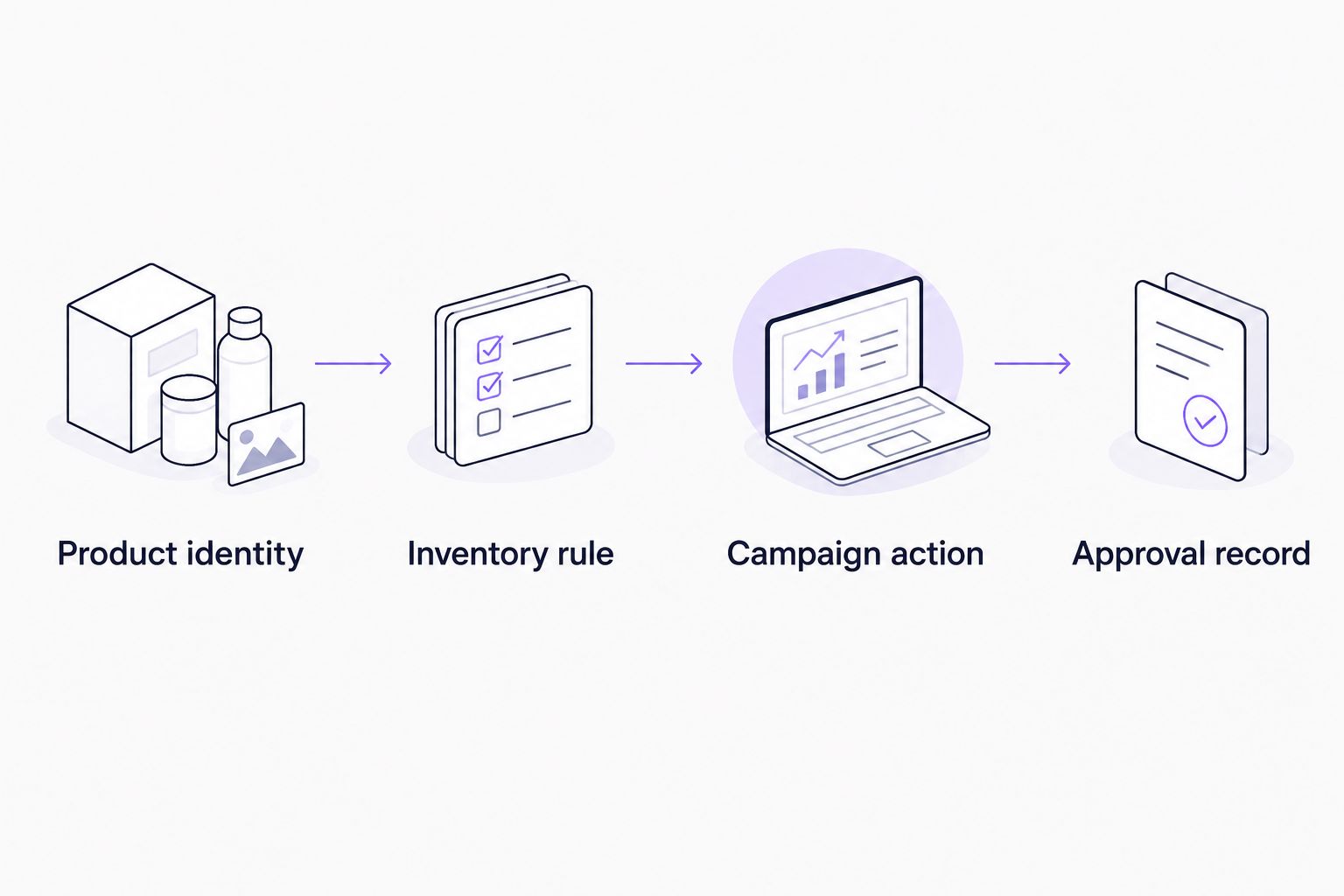
Keep the decision record outside the campaign name. A naming convention helps people search, but it does not replace a mapping record or approval history. Agencies should include the client and advertising account in that record to prevent cross-account changes.
Configuration unit: Campaign controls
Configure the approved advertising action
- Open TikTok Ads Manager and select Campaign. Find the test campaign and confirm its account, destination, and relationship to the mapped product.
- Identify the level your rule should control: campaign, ad group, ad, or catalog product selection. Choose the narrowest supported action that matches the merchandising decision.
- Check the consequences for other products. A shared campaign can contain advertising unrelated to the affected variant; a campaign-wide pause therefore needs separate approval.
- Configure the action in the connected automation system only after verifying that the current integration supports it. Record the required permission and the account that grants it.
- Add a human review path for unmatched products, ambiguous events, and rejected advertising actions. Keep these exceptions visible rather than marking them as successful runs.
Expected result: The workflow has an explicit target and an approved action. A change affecting one variant cannot silently become an account-wide instruction.
Set boundaries for brands and agencies
For an e-commerce brand, give the merchandising owner control over inventory policy and the media buyer control over campaign execution. A campaign operator should not reinterpret inventory records without an agreed rule.
For an agency, isolate each client's mappings and permissions. Confirm which actions the client has delegated, which require approval, and who receives exceptions. A reusable workflow template is useful; reused client identifiers are not.
When evaluating TezAds for this workflow, separate its stated campaign creation and optimization role from the specific inventory behavior you require. Ask for a demonstration of the actual trigger, target, and action in the current product. A roadmap item is not an implementation dependency you can use today.
Configuration unit: Verification
Test the chain before expanding it
- Begin with the selected test SKU and test campaign. Use a controlled environment or an approved operating window; do not alter production inventory casually to test advertising behavior.
- Generate the inventory event through the implementation's supported test method. Inspect the event's variant identifier, location, quantity definition, and timestamp.
- Compare the rule decision with the written policy. If the event does not meet the rule, confirm that no advertising action occurs.
- When the rule is met, inspect the requested action and the resulting state in TikTok Ads Manager. A successful request is not a substitute for checking the advertising object.
- Repeat the same event to test duplicate handling. Then test an older event arriving after a newer one. Confirm that neither causes an unintended reversal.
- Test the approved restoration path and the failure notification. Record the results before expanding the mapping to additional products.
Expected result: You have evidence that the event, rule, action, and final advertising state agree. You also know what happens when the chain fails.
Use 2 review gates: approval of the rule before activation, and approval of the test results before expansion. These are operating recommendations, not platform requirements.
For a 2026 agency rollout, require a separate sign-off per client. For an in-house brand, require a fresh review whenever the inventory definition or campaign structure changes.
Second workflow: Review creative when product details change
Inventory events and product-content updates need different rules. A changed title, variant description, or destination can justify a creative review without justifying a campaign pause.
Configure a second workflow around product-content changes:
- Identify the changed product field and its mapped advertising destinations.
- Compare the new product information with the claims and links in the existing creative.
- Send the affected ads for review rather than automatically rewriting every asset.
- Approve the revised creative and confirm its destination before publication.
Expected result: Product updates produce a targeted review instead of an unrelated inventory action. Keep this workflow separate from quantity-based decisions so that a copy edit cannot accidentally trigger campaign controls.
Brands should assign the review to whoever owns product claims. Agencies should obtain client approval for changed claims and retain the approval alongside the campaign record. Automation can route the work; it does not grant permission to invent product benefits.
Troubleshooting
The product connects, but the wrong variant is mapped
Replace name-based matching with the exact identifiers used by the connected systems. Inspect variant-specific destinations as well as the parent product. Repeat the test before enabling advertising actions.
The inventory event uses the wrong location
Compare the event's location with the written merchandising rule. Correct the source filter or decision logic; do not compensate by changing campaign settings. Multi-location records need an explicit rule for which quantity governs the action.
The request succeeds, but the campaign does not change
Inspect the target object and its current state in TikTok Ads Manager. Check permissions and any returned error details. Treat request acceptance and verified completion as separate checkpoints.
One product change affects unrelated advertising
Inspect the mapping's scope. Replace a shared campaign-level action with a narrower supported action, or require human approval when separation is impossible. Re-test all advertising objects that share the target.
The workflow reverses its own decision
Inspect duplicate events, event ordering, and competing automation rules. Use event identifiers and timestamps in the implementation's handling logic. Assign one owner to each advertising decision rather than letting separate workflows issue conflicting instructions.
Customize your workflow
Expand by product group or client account only after the test passes. Preserve the same event definition, mapping checks, approval policy, and failure handling as the scope grows.
For agencies, the next step is repeatable account governance. The multi-account agency automation guide addresses that adjacent workflow. For brands, prioritize clean product mappings before adding more channels or creative variations.
Keep a 2026 implementation record that separates current capabilities from requested additions. Label each dependency as demonstrated, awaiting verification, or planned. Only demonstrated behavior belongs in an active automation path.
FAQ
How do I automate TikTok ads from Shopify inventory?
Connect the product records, define an inventory event and eligibility rule, then configure a supported advertising action. Verify the complete chain with a mapped test product before expanding it.
Does connecting Shopify to TikTok automatically control my campaigns?
A product connection does not establish inventory-based campaign control. Verify the trigger, mapping, permissions, and resulting campaign action separately.
Can TezAds manage TikTok campaigns for a Shopify brand?
TezAds provides paid campaign creation, launch, and optimization across channels including TikTok. Verify the Shopify inventory trigger and specific campaign-control behavior before using it in an inventory-driven workflow.
Should an inventory rule pause a campaign or an individual ad?
Choose the narrowest supported action that matches the affected product. A campaign-wide pause needs additional review when the campaign also promotes unrelated products.
How should an agency set up this workflow for multiple clients?
Keep client mappings, advertising accounts, permissions, and approvals separate. Reuse the workflow structure, but validate each client's identifiers and action policy independently.
What should I test before enabling inventory-based ad automation?
Test product identity, inventory location, rule evaluation, the resulting advertising state, and the restoration path. Also test duplicate events, older events, and rejected actions.
One last thing
The reversal deserves as much scrutiny as the pause. An inventory event does not know whether creative approval, merchandising priorities, or campaign ownership changed while advertising was interrupted. Require the restoration rule to check those decisions instead of blindly undoing the last action.


