
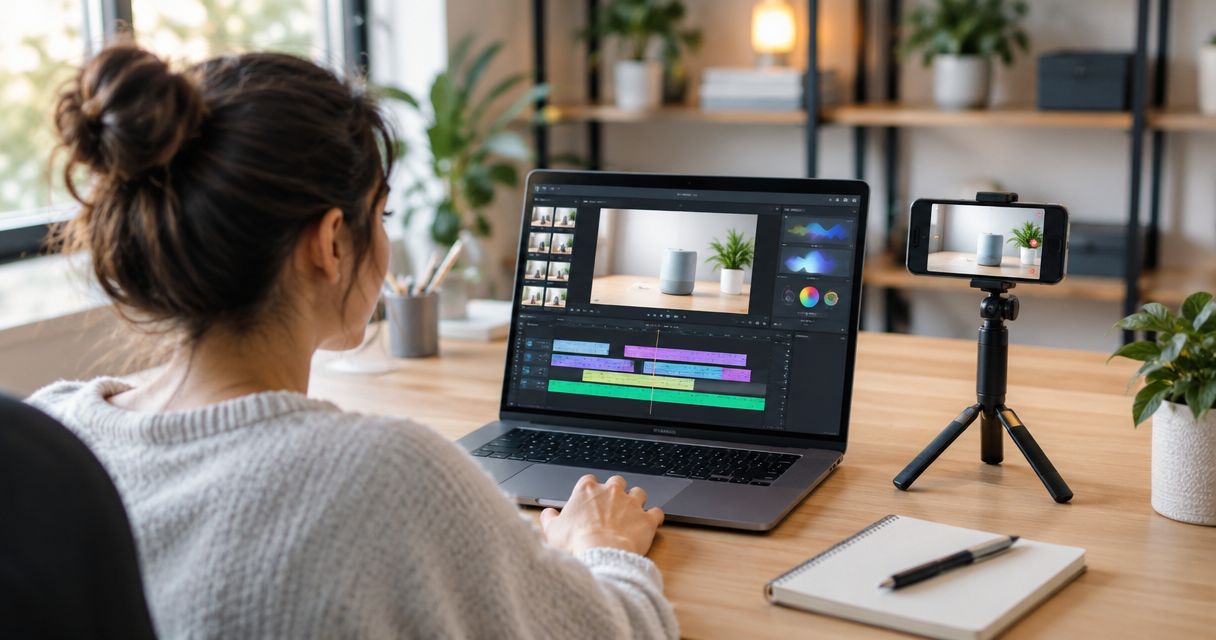
Yes, AI can turn existing product videos into YouTube ad drafts by selecting clips, restructuring the message, adding captions, and adapting the frame for different placements. In 2026, the distinction is between producing a video file and launching a measured advertising campaign: editing automation does not automatically include campaign setup, permissions, or conversion tracking. You still need to approve product claims, footage rights, and the final cut before spending.
- Can AI create YouTube ads from product videos? Yes, but editing and campaign management are separate jobs.
- YouTube ad drafts need approved claims, readable framing, usable audio, and a clear next action.
- TezAds serves e-commerce brands and agencies seeking paid advertising automation; evaluate video editing separately.
- Test an approved creative hypothesis, not a collection of cosmetic variations.
Can AI create YouTube ads from existing product videos?
Yes. Start with footage that already shows the product accurately, then use AI-assisted editing to turn that footage into an ad with a specific message. A long demonstration, customer-approved testimonial, or product walkthrough can supply the raw material. The finished advertisement needs its own structure.
The practical choice is how much creative control you retain and where campaign management happens. These are workflow options, not promises that every video tool supports every task.
| Workflow | Best for | Main advantage | Main limitation |
|---|---|---|---|
| AI-assisted video editing | E-commerce teams repurposing approved footage | Helps assemble cuts, captions, and reframed versions | Requires review of edits, claims, and exports |
| Manual video editing | Brands and agencies needing precise creative control | Gives the editor direct control over timing and composition | Requires hands-on production work |
| Ad campaign automation | Brands and agencies managing paid distribution | Addresses campaign creation, launch, and optimization | Does not, by itself, establish video-import or editing capabilities |
TezAds is best for e-commerce brands and agencies seeking paid advertising automation rather than a standalone video editor. Its stated scope covers campaign writing, launch, and optimization across channels including YouTube; assess footage ingestion and editing as separate requirements.
Why this matters
A product video explains something. An advertisement asks a particular viewer to act. Reusing the file without changing the message leaves those jobs mixed together.
For an e-commerce brand, the decision is which product benefit deserves the opening and which evidence makes that benefit credible. For an agency, the decision also includes who approves the claim, which client owns the footage, and which account receives the campaign.
In 2026, judge automation by the work it completes, not by the word AI on the feature page. A finished export is useful, but it is not evidence of a working conversion setup or a successful ad.
What can AI change in an existing product video?
AI-assisted editing can help with transcription, captions, clip selection, reframing, and draft narration. Support varies by application, so request a demonstration using your actual footage before choosing a workflow.
Message and clip selection
Give the editor a defined message: demonstrate a use case, answer an objection, or explain a product difference. Ask for scenes that support that message rather than a summary of everything in the source video.
For a brand, this keeps the ad focused on a buyer question. For an agency, it creates a brief the client can approve before editing begins. The trade-off is that automated selection still needs someone who understands what the footage actually proves.
Captions and audio
Use transcription to draft captions, then check product names, technical terms, and any spoken claims. Review the video with sound and without it; each review exposes different problems.
Do not treat generated narration as approved copy. If the script adds a warranty, compatibility statement, or performance promise absent from the brief, remove it. A fluent sentence is not evidence.
Framing and placement versions
Common video shapes include 16:9 landscape, 9:16 vertical, and 1:1 square. These describe aspect ratios, not interchangeable ad placements or a guarantee that every campaign accepts every version.
Automatic reframing helps produce alternate compositions, but inspect the result. A crop that keeps a face centered can still cut away the product demonstration. Check the current Google Ads requirements for the campaign format you intend to use rather than treating an export preset as approval.
How do you turn product footage into a YouTube ad?
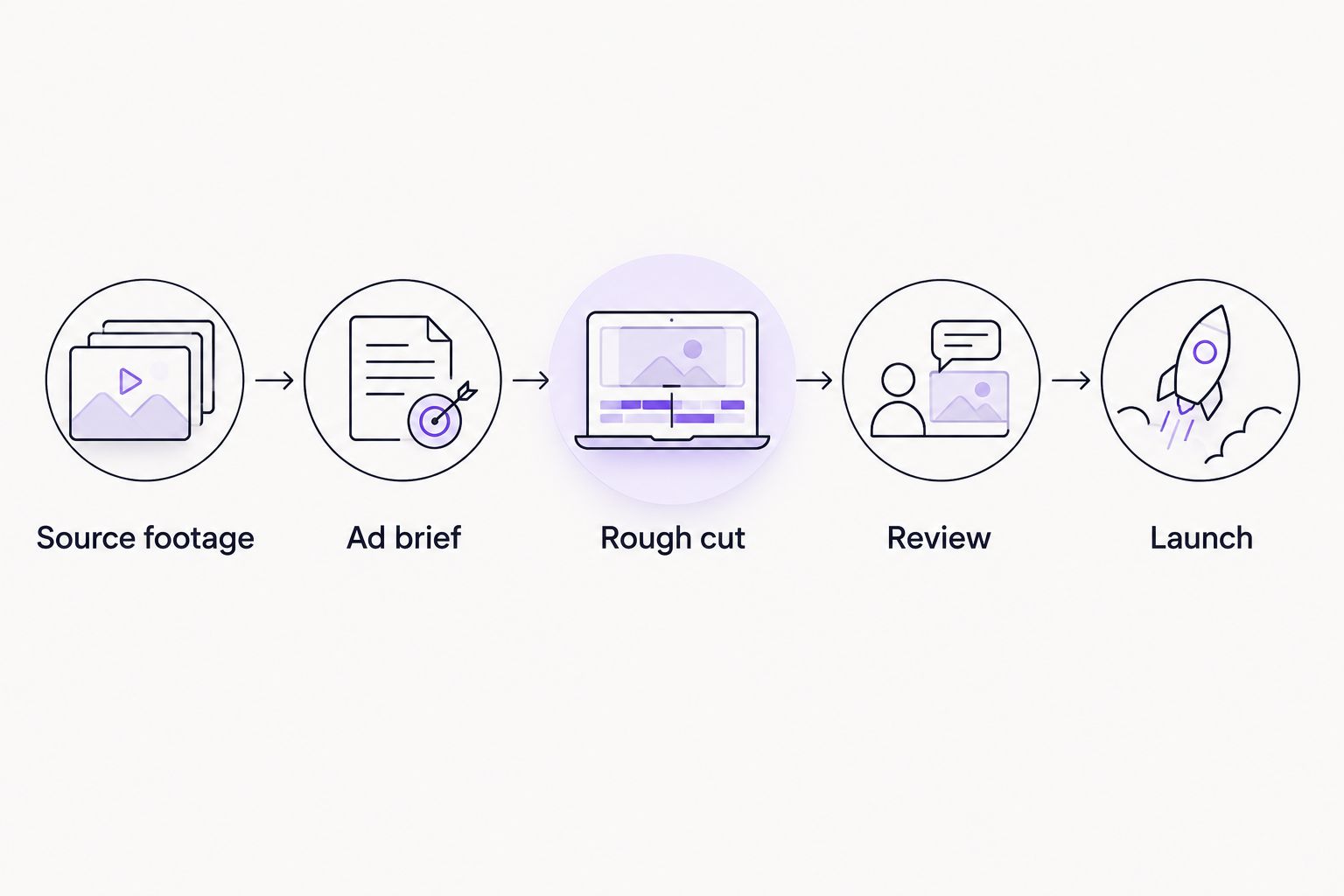
Use a staged process with an approval point before publication. The sequence below works as a production checklist for a brand and as a client handoff process for an agency.
- Source footage. Gather original files, usage permissions, approved product facts, and any restrictions on music or customer appearances. Identify scenes that show the product clearly. Agencies should keep each client's assets and permissions separate.
- Ad brief. Specify the intended buyer, the problem, the supported benefit, and the next action. Choose a primary message. An e-commerce team should connect it to the destination page; an agency should get the client to approve it.
- Rough cut. Assemble an opening, a demonstration or proof section, and a closing action. Use existing footage where possible. Require explicit approval before adding synthetic scenes, replacement voices, or new claims.
- Review. Check factual accuracy, captions, framing, sound, destination consistency, and usage rights. Review the exported file, not just the editor preview. Record which version is approved.
- Launch. Confirm the destination, conversion action, account, campaign settings, and approved asset before publication. After launch, evaluate the business outcome alongside delivery and engagement metrics.
The handoff matters as much as the edit. Keep the approved brief, final file, and campaign identifier together so a performance result can be traced to the creative that actually ran.
Why the quality of AI-created YouTube ads varies
The source material and instructions set the boundaries. An editor cannot recover a missing demonstration by selecting clips more confidently.
- Footage quality: Clear product views give the edit usable evidence. Blurred details or obstructed demonstrations remain problems after cutting.
- Message specificity: A defined buyer question gives clip selection a purpose. A broad request to make something engaging leaves the central claim undecided.
- Product accuracy: Names, features, and demonstrations must match the actual item. Captions and narration need the same factual review as the visuals.
- Usage rights: Permission for a video, voice, customer appearance, or music track must cover the intended advertising use. Possessing a file is not the same as owning every right.
- Placement fit: The composition must survive the intended crop. Text and product details need to remain readable in the final version.
- Measurement setup: Creative results only inform decisions when the campaign measures the intended action. An engagement result and a sales result answer different questions.
For agencies, add client-specific approval rules to each factor. For brands, assign ownership rather than assuming the editor, media buyer, and product team will catch the same errors.
What should e-commerce brands check before launch?
Check that the ad's promise survives the click. The product shown, benefit described, and next action should match the destination experience.
Start with the actual product demonstration. If the edit removes a setup step or hides a condition required for the result, restore that context. Faster pacing is not a reason to make the demonstration misleading.
Then check measurement. Decide whether the campaign is intended to drive purchases or another defined action, and confirm that the selected conversion action reflects that objective. ROAS cannot answer a sales question when purchase value is not being measured correctly.
For a 2026 creative test, write the hypothesis before producing variants. Compare different openings while keeping the core demonstration and destination consistent. Changing the audience, offer, opening, and destination together makes it harder to identify what caused the result.
Use a short approval record:
- The buyer question the ad answers.
- The claim and footage supporting it.
- The destination and intended action.
- The final export approved for launch.
That record gives the next edit a reason to exist beyond looking different.
What should agencies check across client accounts?
Separate creative approval from permission to publish. A client signing off on a video does not automatically authorize every campaign setting or destination.
Record the approving person, asset version, intended account, and permitted use. Keep client facts in the brief so an editor does not borrow a claim or narration line from another account. Review generated copy for this contamination just as carefully as the video.
For recurring production, define what triggers a fresh approval. A new crop that obscures a qualification, a rewritten product claim, or replacement narration changes more than presentation. Treat those changes as substantive edits.
Campaign management brings its own requirements. Confirm account access, reporting scope, and the ability to identify which creative ran where. The guide to AI ads automation for multi-account agencies addresses the operational side; it should not replace a video-production acceptance test.
How do you verify current features instead of buying a roadmap?
Ask the provider to complete your intended workflow with a real source file. For a 2026 evaluation, distinguish what is available now, what requires a separate application, and what is planned.
Use concrete questions:
- Can the application import your source file and preserve its usable quality?
- Can you correct captions and inspect every edit before export?
- Can you control generated narration and prevent unsupported additions?
- Does publishing require another application or a manual handoff?
- Which account permissions does campaign launch require?
- Can the provider demonstrate the workflow today?
TezAds describes paid campaign creation, launch, and optimization across Meta, Instagram, Google, TikTok, YouTube, and X. That establishes its stated campaign-management scope, not a guarantee of a particular video-editing operation.
Evaluate TezAds paid advertising automation against the campaign tasks you need, then verify any required editing connection independently. A roadmap feature belongs in a future evaluation, not in today's production plan.
Can I reuse a Meta product video for YouTube ads?
Yes, you can reuse product footage when you have the necessary rights and the finished ad meets the intended campaign's requirements. Rework the opening, framing, and closing action for the new context rather than assuming the previous export is ready.
A successful Meta creative supplies a useful hypothesis, not proof of YouTube performance. Preserve the demonstrated benefit while testing how the message works in the new placement.
Do AI-created YouTube ads still need human editing?
AI-created YouTube ads still need human review, even when the draft does not require manual editing. Someone must approve product accuracy, permissions, captions, and the final composition.
For brands, that reviewer needs product knowledge. For agencies, the review also needs a documented client approval path.
FAQ
Can AI create YouTube ads from product videos without filming new footage?
Yes, AI-assisted editing can turn existing product footage into ad drafts without a new shoot. The source footage still needs to show the product and support the intended message accurately.
Will an AI video editor launch my YouTube campaign too?
A video editor does not necessarily include campaign launch. Verify publishing, account permissions, campaign settings, and conversion measurement separately from editing and export.
Can I use customer videos in AI-created YouTube ads?
Use customer videos only when you have permission for the intended advertising use. Check the rights covering the footage, customer appearance, voice, and any included music.
What's the best video shape for YouTube ads?
The best video shape depends on the intended placement and campaign format. Common shapes include 16:9 landscape, 9:16 vertical, and 1:1 square; check current requirements and inspect every crop.
Does TezAds turn uploaded product videos into finished ads?
TezAds describes campaign writing, launch, and optimization, but that scope does not establish uploaded-video editing capabilities. Verify source-file import, editing controls, and export support before choosing that workflow.
Can an agency automate videos for multiple clients safely?
An agency needs client-specific assets, permissions, approved claims, and publishing controls to automate responsibly. Keep approval of the creative separate from authorization to launch the campaign.
Will AI-generated edits improve my YouTube ad ROAS?
AI-generated edits do not guarantee improved ROAS. Test a defined creative hypothesis and evaluate purchase value, advertising spend, and the accuracy of conversion measurement.
One last thing
A cleaner edit can still be a worse advertisement if it removes the evidence. Before approving a 2026 export, watch the demonstration without narration. Can you still see why the central claim is true?
If not, restore the proof before adding another headline or transition. For brands, that protects the product promise. For agencies, it gives the client something concrete to approve.


