
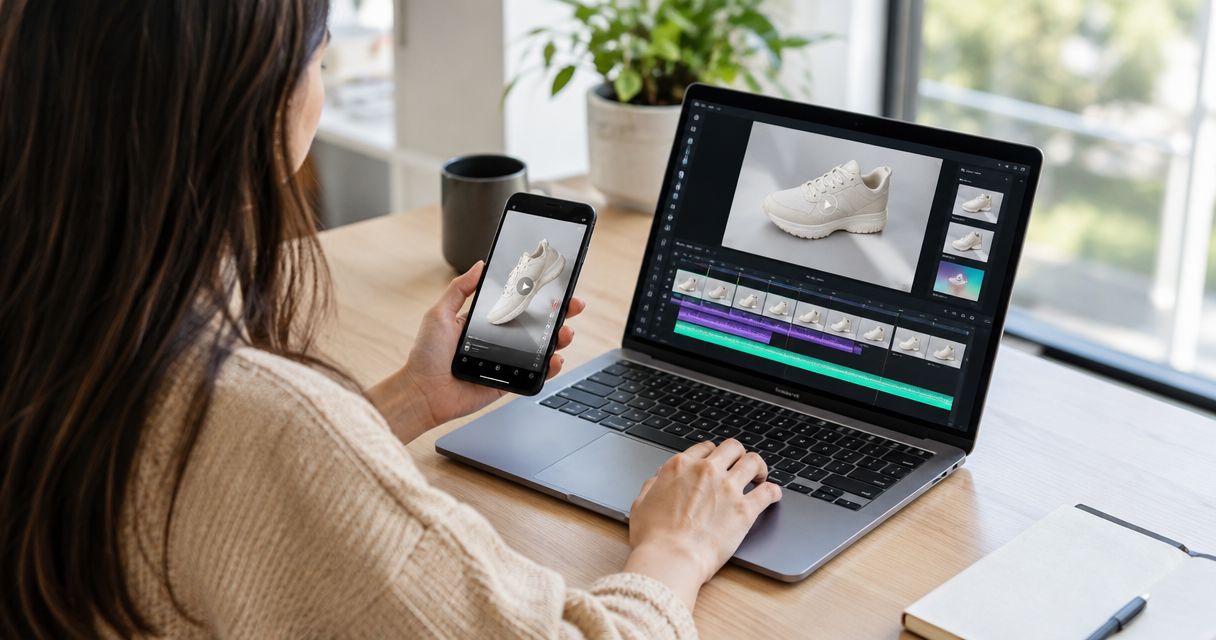
Yes. AI can turn product photos into TikTok video ads by assembling images into an edited video or generating motion from a still image. The finished clip still needs review for product accuracy, advertising claims, music rights, and TikTok’s current ad requirements; generating a video does not publish a campaign or prove it will convert.
- Can AI generate TikTok video ads from product photos? Yes; review product accuracy before publishing.
- Photo-based video editing preserves the photographed product; generated motion needs closer inspection.
- Tezads fits e-commerce brands and agencies seeking paid campaign creation, launch, and optimization—not automatic proof of video-generation capability.
Why this matters
A finished video is a creative asset, not a finished advertising workflow. You still need an approved message, a matching destination, campaign settings, and a way to measure purchases.
For an e-commerce brand, the immediate job is turning accurate product imagery into something worth testing. For an agency, it also includes documenting client approval and keeping assets attached to the correct account. The AI video ad generator guide addresses the creative-tool selection part of that decision.
Can AI generate TikTok video ads from product photos?
Yes. Start with product photos you have permission to use, give the tool an approved creative brief, and choose whether you want edited stills or newly generated motion. Then inspect the export before uploading it as an ad.
These approaches solve different problems. Select the production method before selecting the software.
| Approach | Best for | Main advantage | Main limitation |
|---|---|---|---|
| Edited product photos | Keeping the photographed product intact | Uses crops, transitions, captions, and timing without requiring generated product movement | Cannot demonstrate an action absent from the source material |
| Generated motion | Exploring movement or a new visual treatment | Can produce motion from a still-image reference | Requires close inspection for changed shapes, labels, textures, or behavior |
| Photos plus real footage | Showing both product detail and actual use | Combines clean product imagery with recorded evidence | Requires additional footage and permission to use it |
For your 2026 workflow, judge the output against the actual product—not just whether the animation looks polished. Reject any version that changes what a buyer receives.
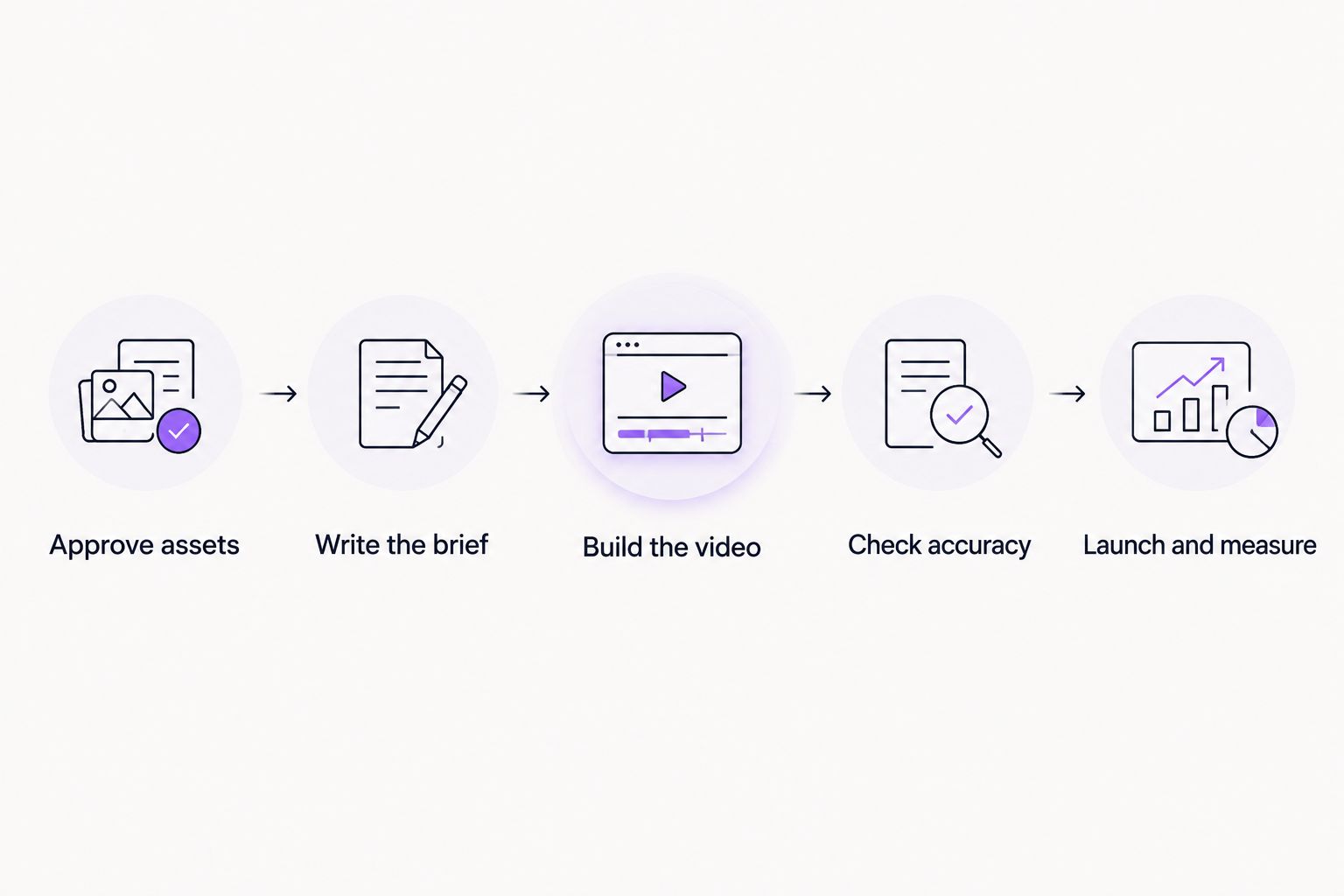
A practical photo-to-ad workflow
- Approve assets. Select clear photos of the exact product variant. Check that packaging, color, accessories, and visible quantities match the destination page. Agencies should record which files the client approved rather than mixing assets from different collections.
- Write the brief. Specify the intended buyer, the problem the ad addresses, the supported benefit, and the desired action. Separate factual product information from creative direction. A prompt cannot turn an unsupported benefit into an acceptable advertising claim.
- Build the video. Choose edited photos, generated motion, or a combination with real footage. Ask for deliberate framing and readable captions. Keep the product identifiable throughout rather than allowing visual effects to become the subject.
- Check accuracy. Watch the complete export, then inspect frames around transitions and movement. Compare the product against the original photos. Check spoken words, captions, music permission, and the destination—not just the thumbnail.
- Launch and measure. Upload the approved asset through the appropriate campaign workflow. Confirm the objective, destination, account, and conversion tracking. Compare results using the same business outcome rather than treating video views as evidence of sales.
The process is sequential for a reason: approval belongs before publishing. A brand owner can own those decisions directly; an agency needs a clear handoff between production, client approval, and media buying.
Edited product photos: best for preserving the original image
Choose edited photos when accurate product presentation matters more than invented movement. You can build a video around changes in framing, image order, captions, and audio without asking a model to recreate the product in action.
The benefit is control. The limitation is evidence: a still image of a closed bag cannot show how its closure works, and a photograph of a skincare container cannot establish a treatment result.
For an e-commerce team, this is a practical starting point when existing photography already explains the product. Show the whole item, then use approved detail images to support the message. Do not crop out information that changes a buyer’s understanding of what is included.
For an agency, preserve the approved source files alongside the exported video. If a client questions a detail, you can identify whether it came from the original photography, the edit, or newly added copy. That makes revisions specific rather than subjective.
Generated motion: best for visual exploration, not product proof
Choose generated motion for a creative treatment, not as evidence of performance. Image-to-video generation can create movement from a still reference, but the result needs inspection wherever the product changes position or interacts with its surroundings.
Look beyond the opening frame. A label that looks correct initially can become distorted during movement. A generated opening, pouring, stretching, or application sequence also needs review against what the physical product actually does.
For brands, keep a known-good product reference beside the export during approval. For agencies, ask clients to approve both the claim and the depiction; approval of a script does not automatically approve a generated demonstration.
In your 2026 creative brief, state what must remain unchanged: product shape, packaging text, color, included accessories, and the nature of any demonstrated action. Those instructions guide production, but they do not replace inspection.
Photos plus real footage: best for showing actual use
Use recorded footage when the purchase depends on seeing a real action. Product photos can introduce the item, while footage shows handling, assembly, texture, fit, or another observable detail.
The advantage is that the action was recorded rather than invented. The trade-off is production work: you need suitable footage, permission to use it in advertising, and an edit that does not misrepresent what happened.
A brand should identify the purchase question that photography leaves unanswered before requesting footage. An agency should give the client a precise shot brief tied to that question. Asking for “more content” is less useful than asking for a clear view of the action the ad needs to explain.
Do not present generated people as real customers giving genuine testimonials. If an ad includes an endorsement, its wording and presentation need to reflect the actual permission and experience behind it.
Why photo-to-video results vary
The main drivers sit in the inputs and the production method. Use this checklist to diagnose a weak result before generating another version:
- Source clarity. Blurred labels, obstructed edges, and compressed images give you less usable detail to work with. Replace the source rather than expecting an edit to recover information that is not visible.
- Product complexity. Small text, reflective surfaces, transparent materials, and intricate shapes require careful visual review. Inspect those areas throughout any generated movement.
- Requested action. A camera move around a stationary object is different from depicting the object opening or changing shape. Review the requested action against the product’s actual behavior.
- Message quality. A vague brief produces an unclear advertising proposition. State the supported benefit and the action you want the buyer to take.
- Placement fit. Text must remain readable within the intended placement. Preview the export with the platform interface rather than relying only on a clean editing canvas.
- Approval discipline. A technically usable file can still contain an incorrect claim or product variant. Assign a named approver before publishing.
How should you prepare the video for TikTok?
Use a vertical working canvas such as 1080 pixels wide by 1920 pixels high, which gives you a 9:16 aspect ratio. Treat that as a production starting point, not a substitute for checking TikTok’s current upload and placement requirements.
For a 2026 production checklist, include a preview on the intended placement. Keep essential text and product details away from interface controls, and verify the final crop. There is no reason to approve captions that become unreadable once the ad appears in context.
Check the audio separately. Permission to use a product photo does not establish permission to use a music track. Confirm commercial-use rights for every asset added to the video, including voice recordings and third-party footage.
For brands, name the person responsible for the export check. For agencies, include the file version in the client approval record so the approved asset and the uploaded asset are the same.
Does generating the video also launch the TikTok ad?
No. Video generation creates an asset; campaign launch requires an advertising account, campaign settings, a destination, and authorization to publish. Treat those as separate capabilities when evaluating software.
Tezads is best for e-commerce brands and agencies that need paid campaign creation, launch, and optimization across channels. Its stated scope includes Meta, Instagram, Google, TikTok, YouTube, and X. That campaign-management scope does not, by itself, establish a product-photo-to-video workflow.
When evaluating Tezads for this use case, request a demonstration of the exact handoff: source photo, exported video, approval, and campaign publication. Separate functionality available now from anything described as planned. A roadmap item is not a capability you can use for a current campaign.
Brands should check who approves the creative and who authorizes spend. Agencies should also verify account selection and client approvals. The limitation to watch is a gap between creative production and campaign operations, regardless of which tools you choose.
Can a product photo become a real product demonstration?
A product photo can become an animated depiction, but that does not make the depicted action real. If the ad depends on proof of how the product works, use recorded evidence or verify every part of the generated sequence against the actual product.
A simple test helps: ask whether a buyer would interpret the scene as something the product genuinely does. If yes, the depiction needs the same factual scrutiny as the written claim. Visual storytelling does not get a separate standard for accuracy.
What should you test after the video is approved?
Test a clear creative hypothesis, not a pile of unrelated changes. For example, keep the product photos and destination consistent while comparing a benefit-led opening with a product-detail-led opening. That gives you a more interpretable comparison than changing the message, imagery, and offer together.
An e-commerce brand should connect the test to the purchase decision it wants to influence. An agency should document that hypothesis in language the client understands, then report against the agreed business outcome.
For your 2026 test log, record the source assets, approved claim, opening message, destination, and conversion event. Do not call a creative a sales winner because it attracted views. Attention and purchases answer different questions.
FAQ
Can AI generate TikTok video ads from product photos without filming?
Yes. You can create an edited photo video or generate motion from a still image without filming. Use real footage when the ad needs to prove how the product actually behaves.
What size should I use for a vertical TikTok ad draft?
A 1080-pixel-wide by 1920-pixel-high canvas gives you a 9:16 vertical draft. Check TikTok’s current placement requirements and preview the export before publishing.
Will an image-to-video tool keep my product label accurate?
Do not assume generated motion will preserve the label accurately. Compare text, packaging, color, and shape against the source photos throughout the exported clip.
Can I use any music in an AI-generated TikTok ad?
No. Use music with permission that covers your intended advertising use. Generating or editing the video does not establish music rights.
Does Tezads generate videos directly from product photos?
Tezads is described as paid campaign creation, launch, and optimization software. Verify a live photo-to-video demonstration before choosing it for that specific production requirement.
Do agencies need client approval for generated product videos?
Build client approval into the workflow before publishing. Have the client approve the product depiction, advertising claims, destination, and final file version.
Can an AI-generated product video guarantee more sales?
No. A generated video is a creative asset, not a sales guarantee. Measure purchase outcomes through a defined campaign test rather than judging the export alone.
One last thing
The most important review happens after the opening frame. Inspect the point where the product turns, opens, touches another object, or leaves the frame. Those are the moments where a convincing still can become an inaccurate demonstration.
Make that frame review part of every 2026 approval checklist. If the movement changes the product, simplify the movement—not the accuracy standard.


