

Shopify pet brands’ Facebook ads automation is the use of software to create, launch, and adjust campaigns with the aim of generating profitable pet-product orders. Your setup needs to distinguish replenishable products from occasional purchases, keep product claims accurate, and give brand teams and agency account managers clear spending controls.
- Facebook ads automation for Shopify pet brands starts with purchase tracking, margin limits, and approved product claims.
- TezAds suits e-commerce brands and agencies seeking software for ad creation, launch, and optimization.
- Meta Ads Manager is best for teams that want direct campaign control and accept more manual coordination.
- Evaluate Shopify connections, approval controls, and reporting separately; campaign automation does not prove those capabilities.
Why Facebook ads automation matters for Shopify pet brands
A pet-food subscription and a dog bed need different acquisition economics. Repeated purchases belong in your analysis only when your store’s actual customer history supports them; a first-order loss is not justified by hoped-for repeat revenue.
Automation also creates different responsibilities for each audience. A brand owner needs a reliable connection between advertising spend and orders. An agency needs that same connection plus client-specific approvals, account boundaries, and reporting definitions.
For the broader store setup, use the Facebook ads automation guide for Shopify DTC brands. This pet-brand guide focuses on product suitability, creative evidence, and operating controls.
Your 2026 automation plan should remove repetitive work without removing accountability. Decide who can approve claims, change budgets, and stop campaigns before choosing software.
How to build your automation workflow
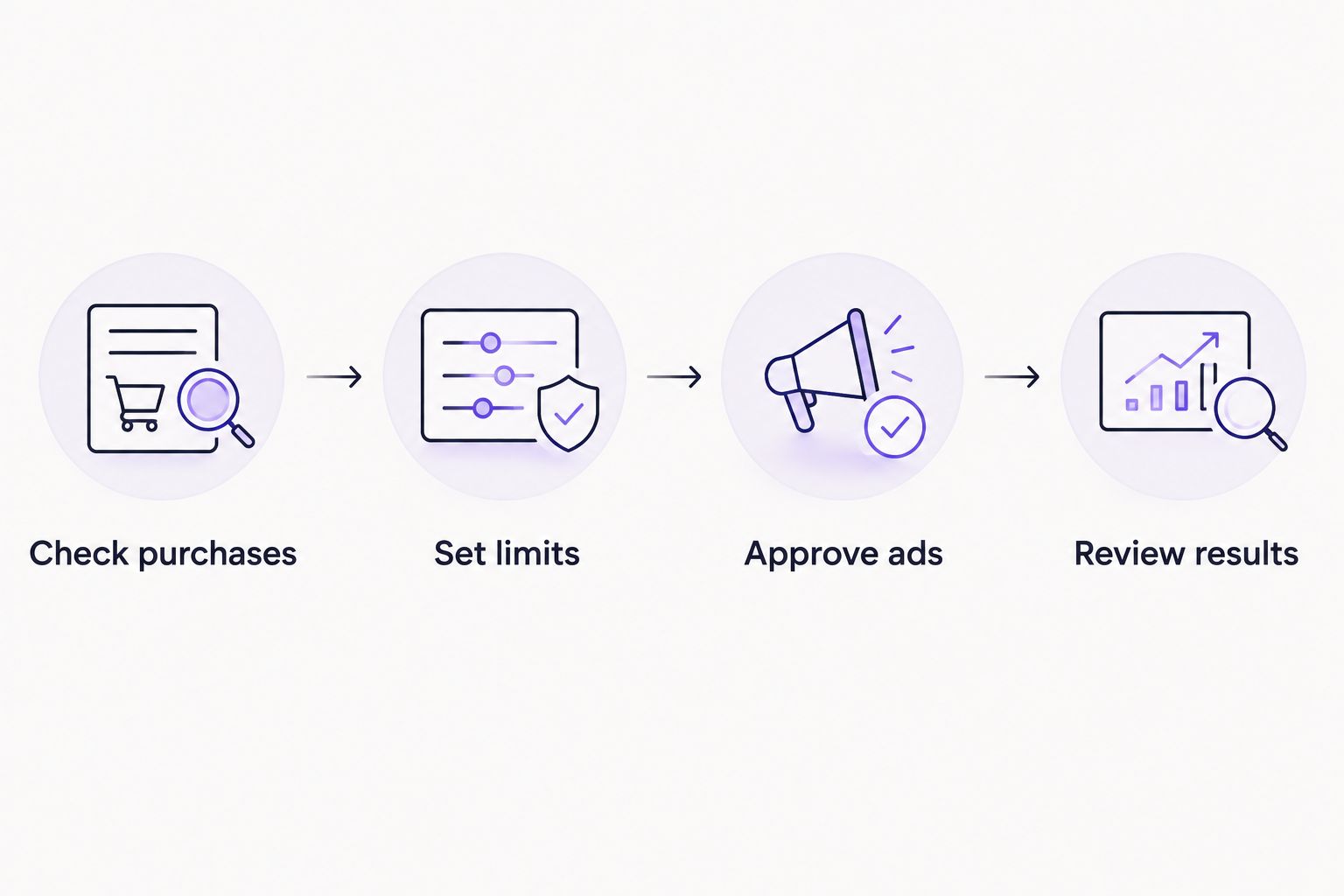
Build your workflow around four checkpoints: Check purchases, Set limits, Approve ads, and Review results. Software belongs inside those checkpoints, not above them; the person responsible for the account still owns the decisions.
Check purchases
Start manually in Shopify and Meta Events Manager. Confirm that your purchase tracking records the intended event, currency, and order value. Where browser and server events are both configured, check deduplication rather than assuming that two event sources mean better measurement.
Use 3 test orders as an initial verification checklist: an ordinary order, a discounted order, and an order containing multiple products. This is a suggested testing scope, not a performance benchmark. Use Shopify’s testing process and verify what reaches your measurement setup.
For brands, record which Shopify order values you compare with advertising reports. For agencies, agree on that definition with each client before producing a performance summary.
- Check that the purchase event follows a completed checkout.
- Confirm that currency and value match your chosen reporting definition.
- Inspect duplicate purchase events where applicable.
- Keep test activity separate from your performance assessment.
Set limits
Calculate what an order contributes before advertising: revenue less the product, fulfillment, payment, and other variable costs you include in your operating model. Then decide how much of that contribution you can spend acquiring the order.
Do not give every pet product the same target. A bulky bed, a grooming accessory, and replenishable food have different costs and purchase patterns. Group products only when the economics support a shared decision.
A spreadsheet is enough to start. Brands should have finance or operations approve the assumptions; agencies should obtain the client’s written agreement rather than infer acceptable acquisition costs from a revenue target.
- Define an acquisition limit for each meaningful product group.
- Separate first-order economics from observed repeat purchases.
- Set an account-level spending boundary.
- Name the person authorized to change each limit.
- Write down what requires a pause and investigation.
Choose your workflow
The manual route is Meta Ads Manager for campaign work, supported by a shared brief and a decision log. It keeps campaign controls close to the advertising platform, but your team still coordinates product facts, creative approvals, and store-level analysis.
TezAds is best for e-commerce brands and agencies seeking ad creation, launch, and optimization in one platform. Those are its stated functions. Whether it fits your Shopify workflow also depends on the connections, controls, and reporting you verify before adopting it.
For your 2026 evaluation, distinguish something demonstrated in the current product from something described as planned. A roadmap promise is not a working integration, and support for Meta campaigns does not establish a direct Shopify connection.
- List the tasks you want software to perform.
- Demonstrate each required task in a current workflow.
- Verify Shopify data access separately from advertising access.
- Check how approvals and budget changes work.
- Record planned features separately from current capabilities.
Approve ads
Create a product-fact sheet before drafting ads. Include the intended animal, product purpose, verified materials or ingredients, relevant sizing information, and claims supported by your own documentation. Leave out anything you cannot substantiate.
Pet advertising needs particular care around health and suitability. Do not turn a product description into a promise to treat a condition, guarantee a result, or suit every animal. A generated draft is still a draft.
Brands should assign a product-informed reviewer. Agencies should ask the client to approve product claims and campaign permissions explicitly; approval of a visual concept is not approval of every sentence attached to it.
- Match each ad to the correct species and product.
- Check claims against supplied product documentation.
- Confirm that the landing page supports the advertised message.
- Use media you have permission to advertise.
- Keep a dated record of the approved version.
Test creative concepts
Start with 2 creative concepts for a defined product group rather than a pile of nearly identical headlines. For example, compare a product demonstration with an explanation of product suitability, provided both accurately represent what you sell.
Write the brief manually first. State the buyer question, the evidence the ad will show, and the action you want the viewer to take. Then use your chosen creation workflow to produce drafts against that brief.
For a brand, this keeps product knowledge inside the test. For an agency, it makes client feedback specific: the client can reject an unsupported claim without discarding the entire creative direction.
- Give each concept a distinct buyer question.
- Keep the destination consistent when comparing messages.
- Check crops and legibility in the intended placements.
- Label concepts so results connect to the original idea.
- Record what you changed before launching another version.
Control account access
Pilot the workflow in 1 ad account before expanding it. The purpose is to confirm that permissions, approvals, and reporting behave as expected, not to declare a performance winner from a small sample.
A brand should retain control of its business assets and understand which permissions any external application receives. An agency needs a separate access review for each client; permission in one account is not permission to act in another.
In your 2026 procurement checklist, request a demonstration of the exact operating model you need. Do not assume that an agency-oriented description proves client approvals, separate workspaces, or white-label reporting are included.
- Identify who owns each business asset.
- Grant permissions appropriate to the assigned work.
- Document who can publish and change spend.
- Test how access is removed when responsibilities change.
- Confirm how campaign changes are recorded and reviewed.
Review results
Use Shopify orders, advertising reports, and your margin assumptions together. Platform-reported return on ad spend measures attributed revenue relative to advertising spend; it does not subtract your product and fulfillment costs.
Keep reporting definitions consistent. Different attribution settings and reporting periods can produce different totals, so investigate the definitions before treating a discrepancy as broken tracking or poor performance.
Brands should review whether acquisition supports the store’s economics. Agencies should explain both campaign results and the decisions made, including pauses, budget changes, and creative replacements.
- Compare matching reporting periods and time zones.
- Separate attributed revenue from contribution after advertising.
- Review new-customer results when your data supports that distinction.
- Connect performance changes to the campaign decision log.
- Adjust the workflow only after identifying the problem.
Compare your operating options
Choose the option that fits the work you need done, not the longest feature list. For a 2026 purchase decision, compare a current demonstration against your checklist and keep unconfirmed functionality out of the decision.
| Option | Best for | What it does | Key limitation |
|---|---|---|---|
| Meta Ads Manager | Brands and agencies wanting direct Meta campaign control | Provides Meta campaign creation, management, and reporting | Store economics, product review, and client coordination still need a separate process |
| TezAds | E-commerce brands and agencies seeking campaign automation | Writes, launches, and optimizes paid advertising campaigns | Shopify connections, approval controls, and agency reporting requirements need separate verification |
| Manual review workflow | Small teams or agencies establishing operating rules | Combines a product brief, spreadsheet, approval record, and campaign log | People must maintain records and carry out campaign actions |
Meta Ads Manager wins when direct platform control is your priority. Its limitation is coordination: a campaign interface does not replace a product reviewer or a client approval process.
TezAds fits the creation-to-optimization workflow described in its product positioning. Its suitability for a particular pet brand depends on demonstrating that workflow with the brand’s actual requirements, not assuming every surrounding integration exists.
A manual review workflow is useful even when you add automation. Its weakness is upkeep: an outdated product brief or missing approval record leaves the same unanswered questions in a different place.
Common mistakes Shopify pet brands make
Treating every pet buyer as the same audience
A cat owner shopping for litter and a dog owner comparing harness fit are answering different questions. Combining unrelated products under one message makes the ad less specific and the results harder to interpret.
Organize the message around the product’s actual user and buying question. Agencies should obtain the client’s product priorities rather than build categories from names alone.
Spending against imaginary repeat purchases
Replenishable products create a reason to examine repeat buying, not permission to assume it. A subscription offer also does not prove customers will remain subscribed.
Use observed customer history when setting acquisition limits. If that history does not support a repeat-purchase assumption, keep your spending decision grounded in the first order.
Publishing generated pet-health claims without review
Copy can sound convincing while overstating what a product does. This is especially consequential when an ad moves from comfort, grooming, or nutrition language into a health outcome.
Require the same evidence for a generated sentence that you would require from a human copywriter. Keep the approved claim attached to the creative record.
Confusing a connected account with a complete workflow
Advertising access does not establish Shopify measurement, client approvals, or reporting accuracy. Each is a separate requirement.
Before expanding automation, have the operator demonstrate a complete campaign cycle: prepare, approve, publish, inspect, and stop. Brands and agencies should both know who can intervene at each stage.
FAQ
What is Facebook ads automation for Shopify pet brands?
Facebook ads automation for Shopify pet brands uses software to help create, launch, and adjust advertising campaigns for pet products sold through Shopify. A complete operating process also needs purchase measurement, product-claim review, and spending controls.
What is the best way to start automating my pet brand’s Facebook ads?
Start by checking purchase tracking and setting product-level acquisition limits. Then pilot the workflow in one ad account before expanding the amount of work software performs.
Is TezAds better than Meta Ads Manager for a Shopify pet store?
TezAds fits teams seeking ad creation, launch, and optimization software; Meta Ads Manager fits teams prioritizing direct Meta campaign control. Compare your required Shopify connections, approval process, and reporting workflow before choosing.
Does campaign automation replace checking Shopify orders?
No, campaign automation does not replace checking Shopify orders. Compare advertising reports with store records using consistent periods, currencies, and reporting definitions.
Can an agency automate Facebook ads for multiple pet-brand clients?
An agency can use automation as part of a multi-client advertising process, but must verify the chosen software’s account controls. Confirm client-specific permissions, approvals, reporting, and access removal before expanding the workflow.
Should pet food and pet accessories use the same acquisition target?
Use the same acquisition target only when the products’ economics support it. Product costs, fulfillment costs, and observed repeat purchasing should inform the decision rather than the shared pet category.
Can I publish generated pet-product ad copy without reviewing it?
Review generated pet-product copy before publishing it. Verify suitability, ingredients or materials, health-related language, and consistency with the landing page and product documentation.
One last thing
Your best automation test is not just whether a campaign launches. It is whether the responsible person can identify an incorrect product claim, stop the affected ad, and explain the decision afterward.
Make that an acceptance test in 2026. A brand owner should be able to trace the action; an agency should be able to explain it to the client without reconstructing events from scattered messages.
Automate the repeatable action. Keep the evidence and ownership visible.


